Rocketlane lets you choose which capacity figure a person’s utilisation is measured against. This helps you decide whether holidays and time off should be included in or excluded from utilisation calculations.
Your selection applies wherever Rocketlane displays utilisation percentages, including Resource Management, Timesheets, native reports, custom reports, and dashboards.
This setting does not change anyone’s configured weekly capacity. It only changes the capacity used as the denominator when calculating utilisation percentages.
In this article
``````How utilisation is calculated
Rocketlane calculates planned and actual utilisation as follows:
Planned utilisation percentage = Allocated hours ÷ Selected capacity × 100
Actual utilisation percentage = Tracked hours ÷ Selected capacity × 100
The Utilization setting determines which capacity value is used as the denominator.
Configure the utilisation calculation
To select a calculation method:
- Go to Settings > Preferences.
- Find the Utilization setting.
- Click Change.
- In the What do you calculate utilisation against? pop-up, select a capacity option.
- Save your changes.
The default option is Available Capacity.
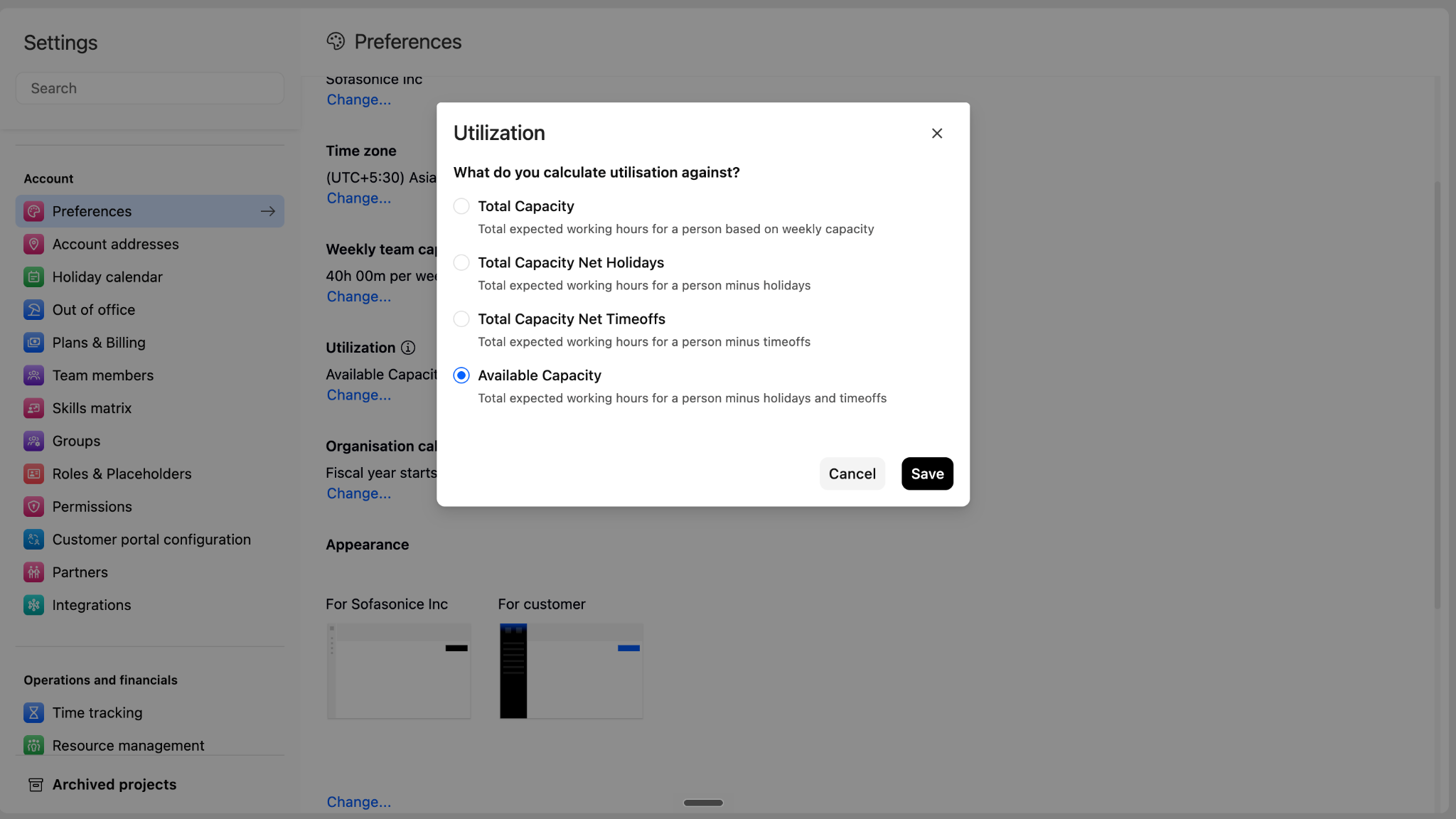
Utilisation calculation options
To learn more about the capacity adjustments used by these options, see How to set up Holiday Calendar? and How to Apply for Time Off in Rocketlane?
Example
Consider a person with:
- Weekly capacity: 40 hours
- Time off: 8 hours
- Allocated hours: 24 hours
If Total Capacity is selected:
If Total Capacity Net Timeoffs is selected:
The person’s configured weekly capacity remains 40 hours. Only the denominator used to calculate the utilisation percentage changes.
Where the setting is applied
The selected calculation method is used wherever Rocketlane displays utilisation percentages.
Resource Management
The setting affects utilisation percentages displayed across Resource Management.

To learn more about viewing capacity, allocations, and utilisation in Resource Management, see People Tab: Effectively Manage Your Team’s Capacity.
Timesheets
The setting affects utilisation percentages displayed in Timesheets and related team summaries.

To learn more about reviewing and approving tracked time, see Enhanced Time Tracking and Approval Experience in Rocketlane.
Native reports
The setting is applied to utilisation percentages in Rocketlane’s native reports.
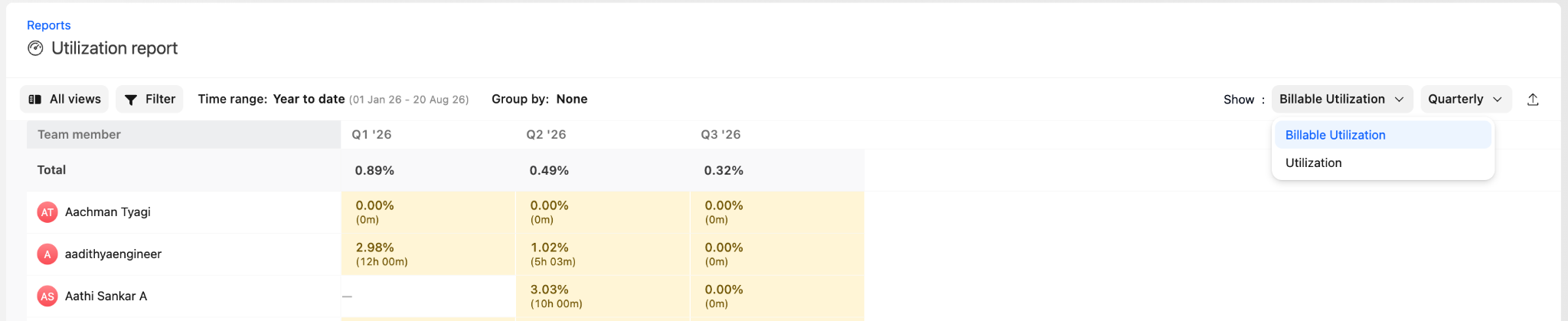
To learn more about analysing team utilisation in native reports, see People Performance and the Time Analytics report.
Custom reports and dashboards
For custom reports using the People or Project source, the setting affects percentage fields such as:
- Utilisation
- Billable Utilisation
- Planned Utilisation
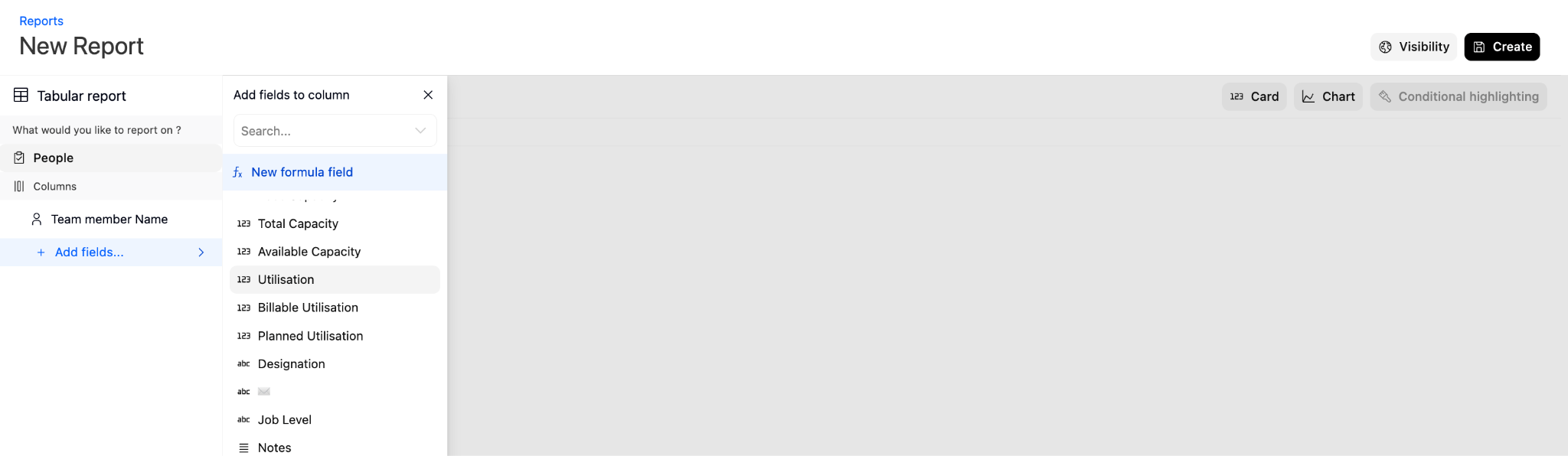
The configured calculation method also applies when these percentage fields are used in filters, charts, or dashboard components.
To learn more about presenting utilisation data, see the guides to setting up and managing custom reports and creating dashboards and adding widgets.