Connecting upstream sales data with Rocketlane gives delivery teams immediate visibility into financial targets. By mapping Salesforce opportunities, line items, or automation tools like Workato to project and budget-level fields, teams can move from sales to delivery without manual data entry.
Multi-budgets can be aligned with upstream sales data.
Common patterns include:
- A Salesforce Opportunity or Sales Order creates a project in Rocketlane.
- Opportunity line items or Sales Order line items map to budgets under that project.
Field sync can map Salesforce fields to:
- Project-level fields
- Budget-level fields
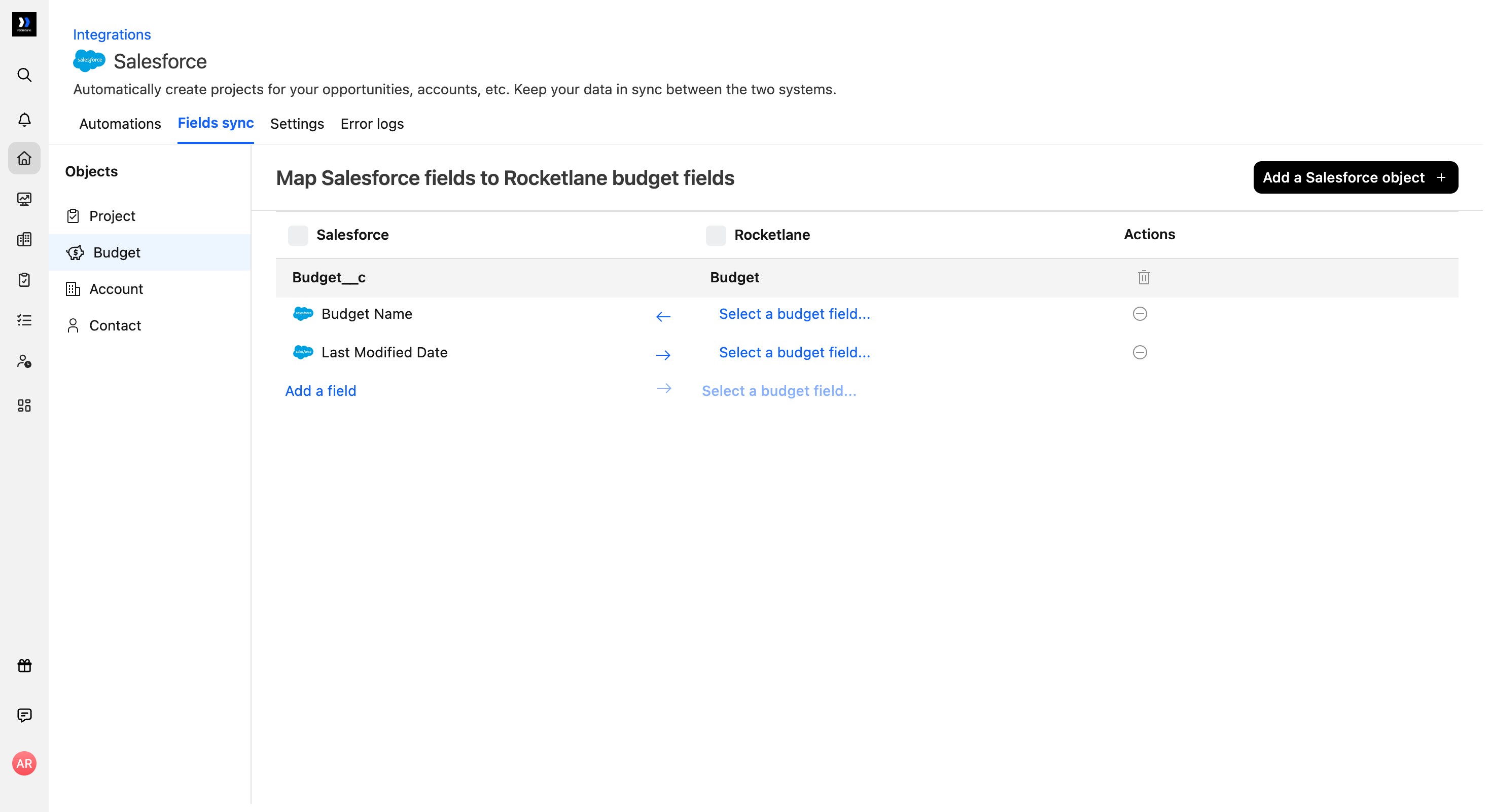
Map Salesforce fields to budget fields
To map Salesforce fields to Rocketlane budget fields:
- Go to Settings > Integrations.
- Open the Salesforce integration.
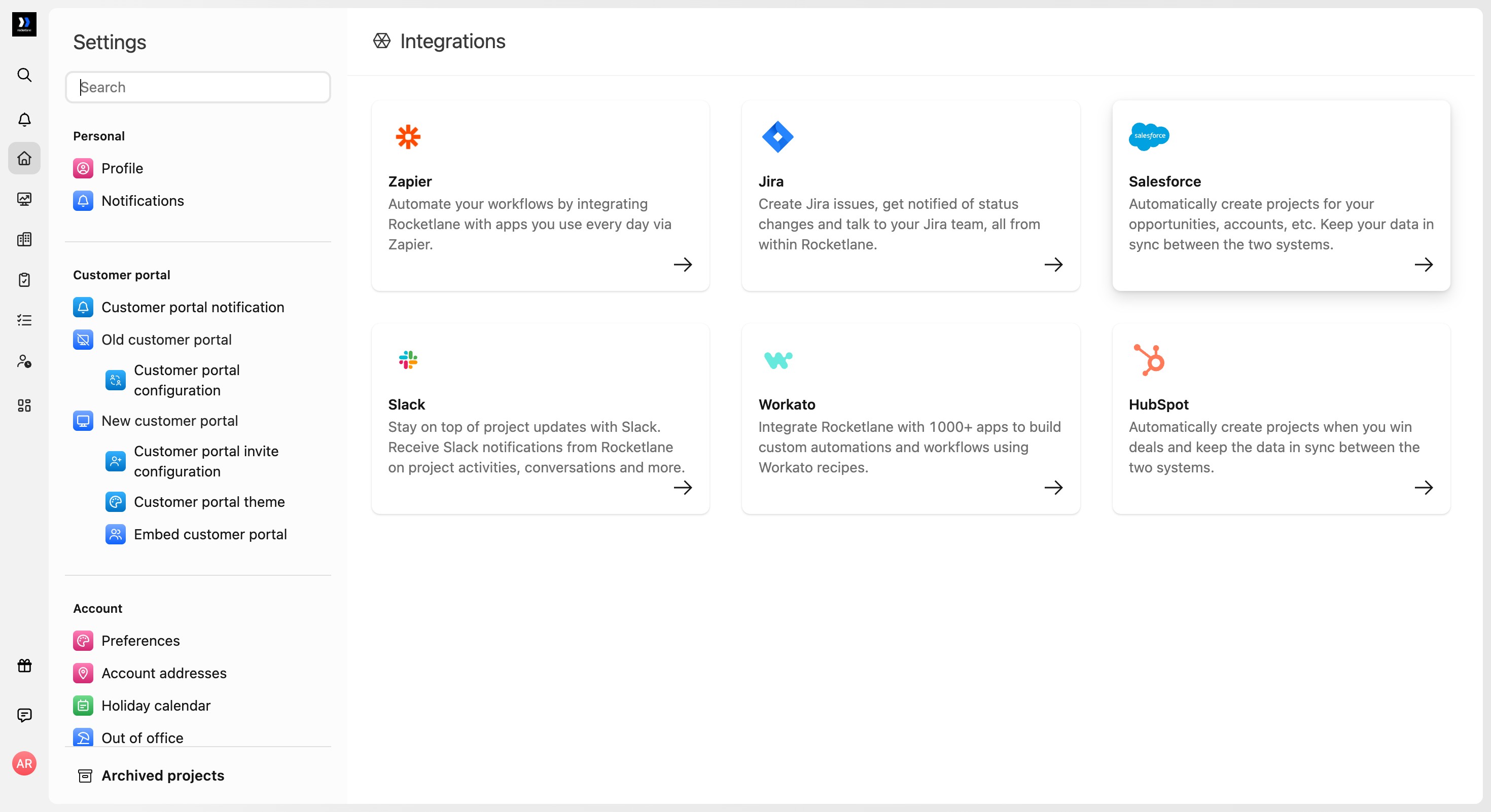
- On the Fields sync tab, select Budget from the Objects sidebar.
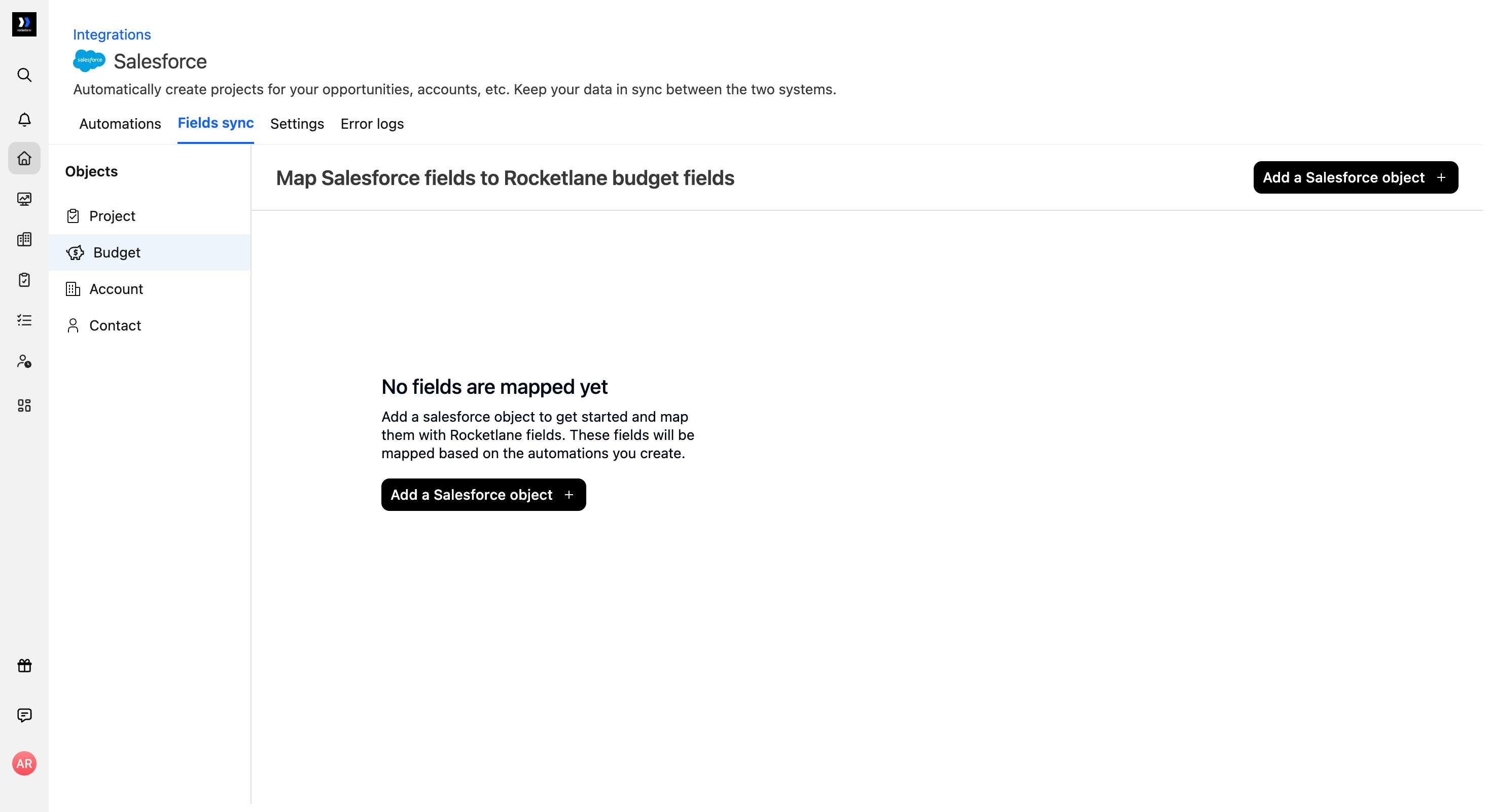
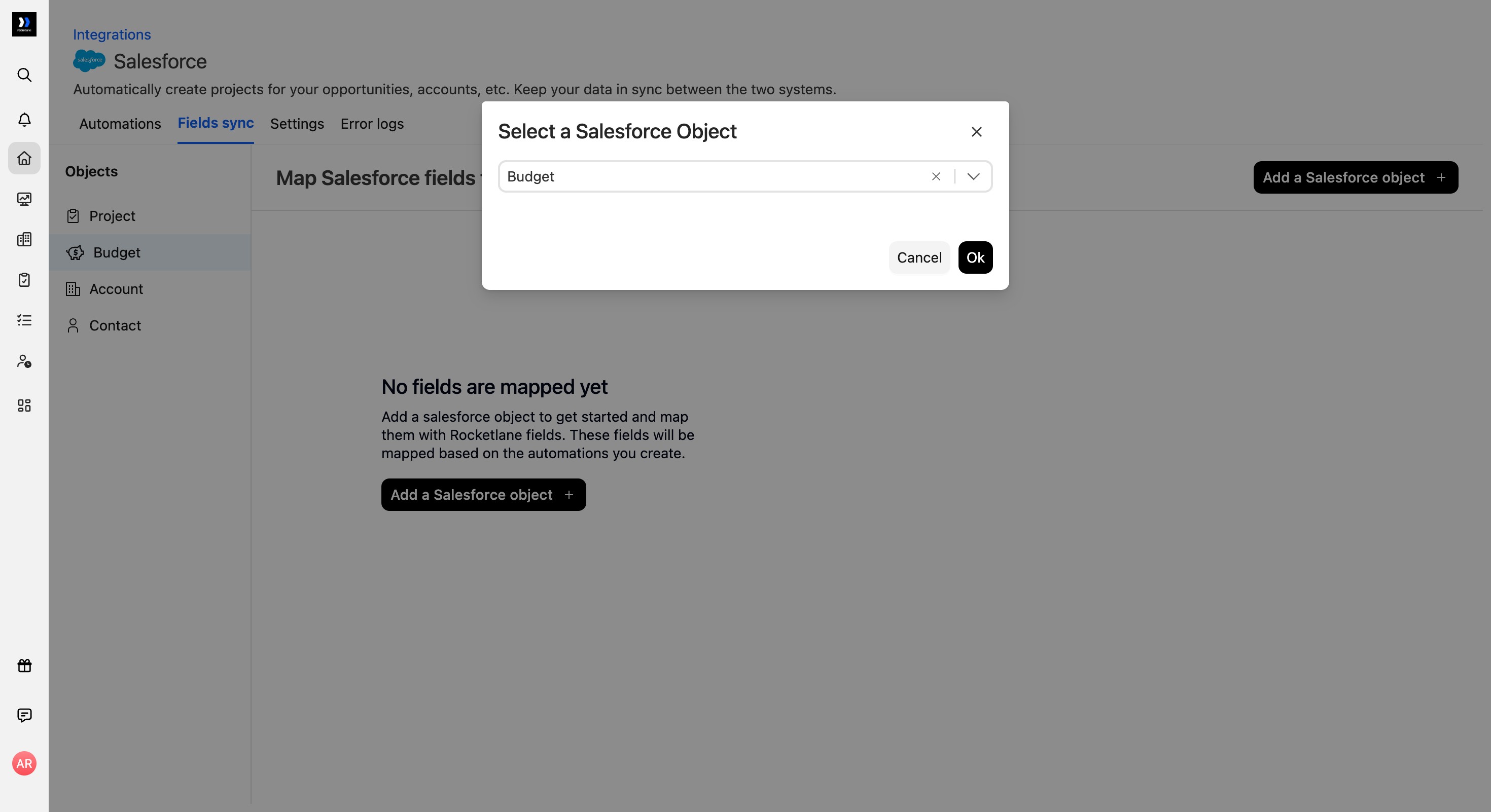
- If no Budget mappings exist, click Add a Salesforce object. In the Salesforce object selector, select Budget, then click Ok.
- Under the Salesforce column, click Add a field and select each Salesforce field you want to map. For example, add Budget Name and Last Modified Date.
- In the Rocketlane column, select the corresponding Rocketlane budget field for each Salesforce field to establish the mappings.
Automation platforms such as Workato can be used to:
- Create budgets based on line items.
- Keep sales and delivery financials in sync.
Create and retrieve multi-budgets with Workato
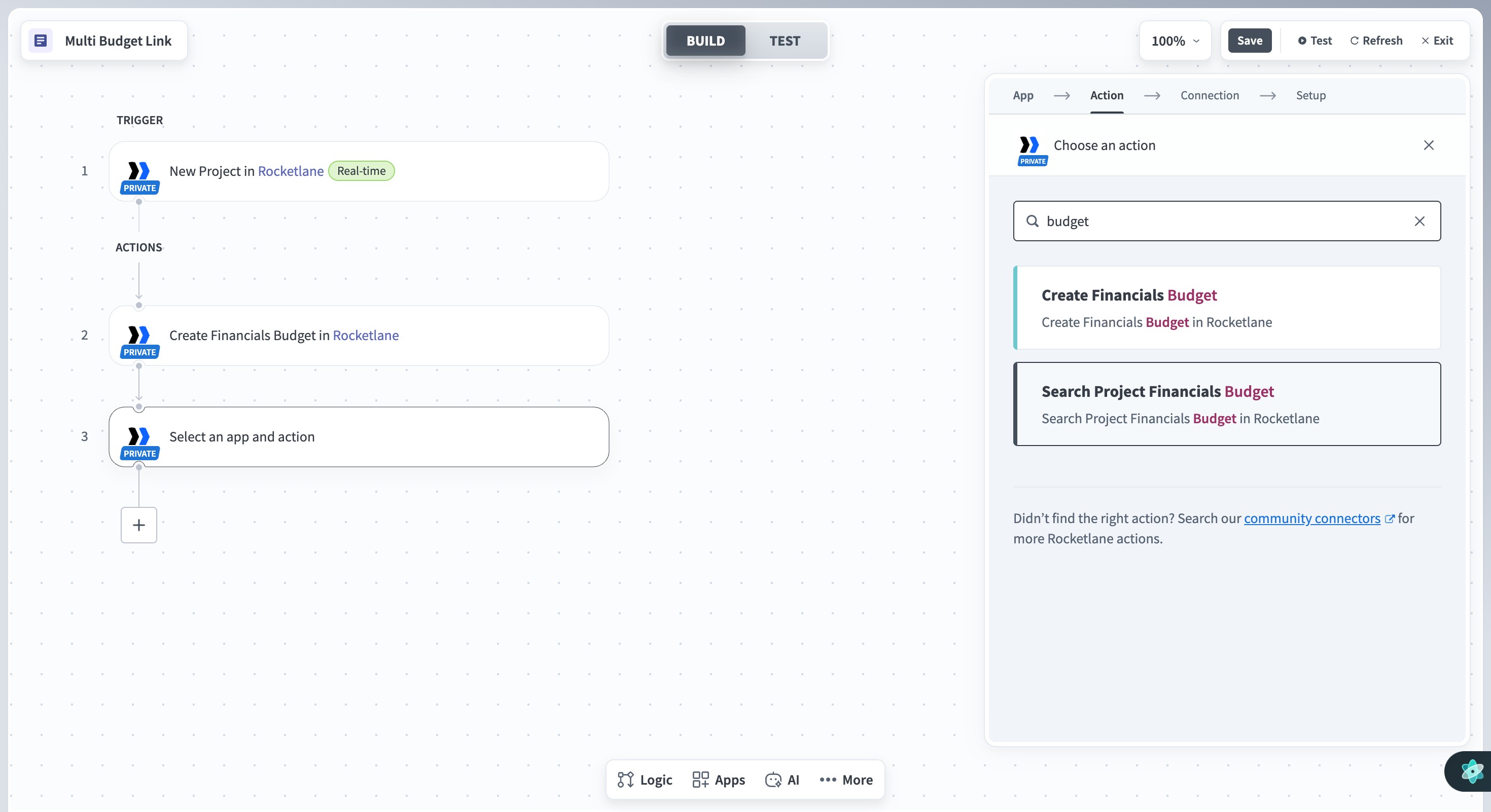
A Workato recipe can use Rocketlane’s Create Financials Budget and Search Project Financials Budget actions to create a budget and retrieve the budgets associated with a project.
The Rocketlane connector for Workato includes two actions for working with multi-budgets:
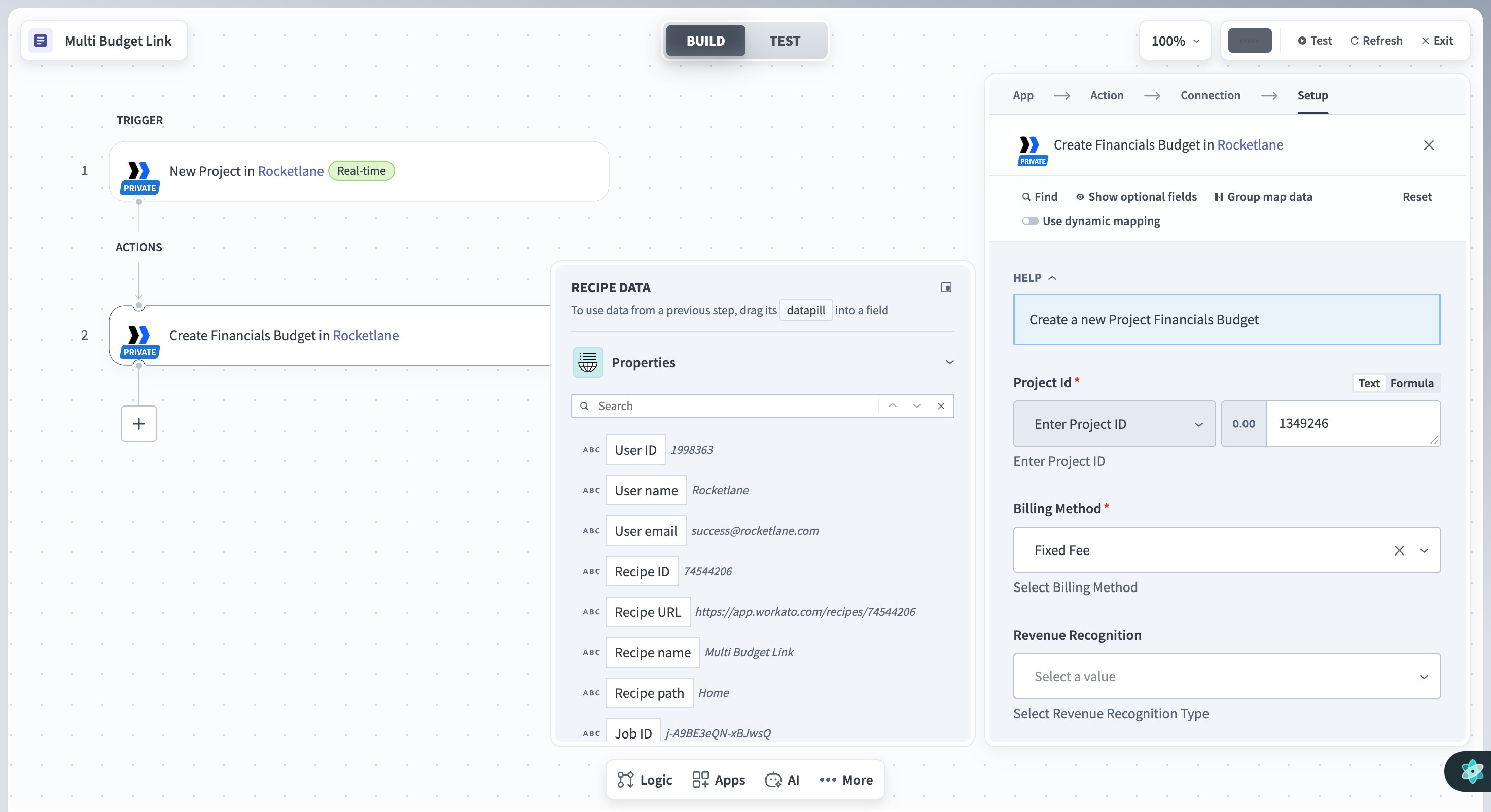
Add the required action to your Workato recipe and select your active Rocketlane connection.
To create a budget, select Create Financials Budget and configure the financial details based on the project’s requirements.
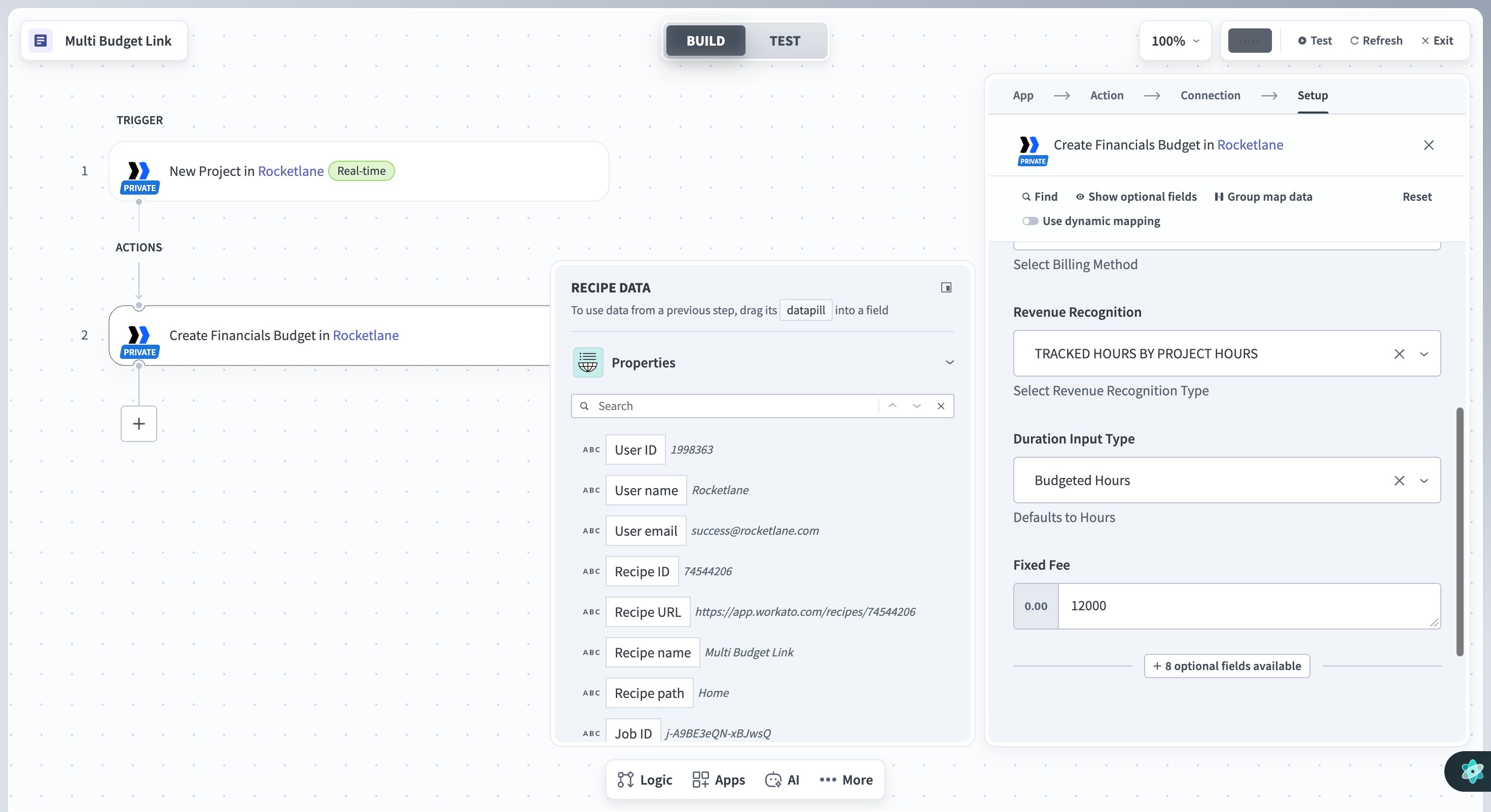
To retrieve the budgets associated with a project, select Search Project Financials Budget and use Project ID as the search parameter.