TABLE OF CONTENTS
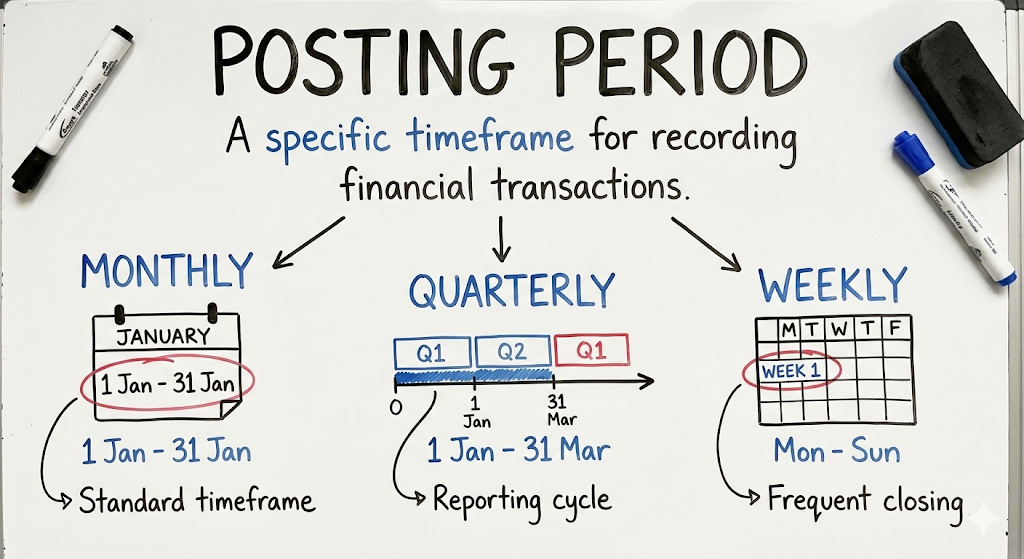
A posting period refers to a specific timeframe (usually a month, quarter, or year) during which financial transactions can be recorded, or posted, into the accounting system, for example:
- A month, such as 1 January to 31 January
- A quarter, such as 1 January to 31 March
- A week, for organizations that close books weekly
Posting period rules in Rocketlane
- Posting periods cannot overlap.
- Posting periods need to be contiguous.
- Posting periods support 4-4-5 calendars or non-calendar fiscal months.
The finance team:
- Configures posting periods in Financials settings
- Recognize revenue against these periods
- Locks periods when books are closed so that entries cannot be changed
Creating Posting Periods
To create a posting period in Rocketlane
- Navigate to Revenue entries > Posting periods in Settings.
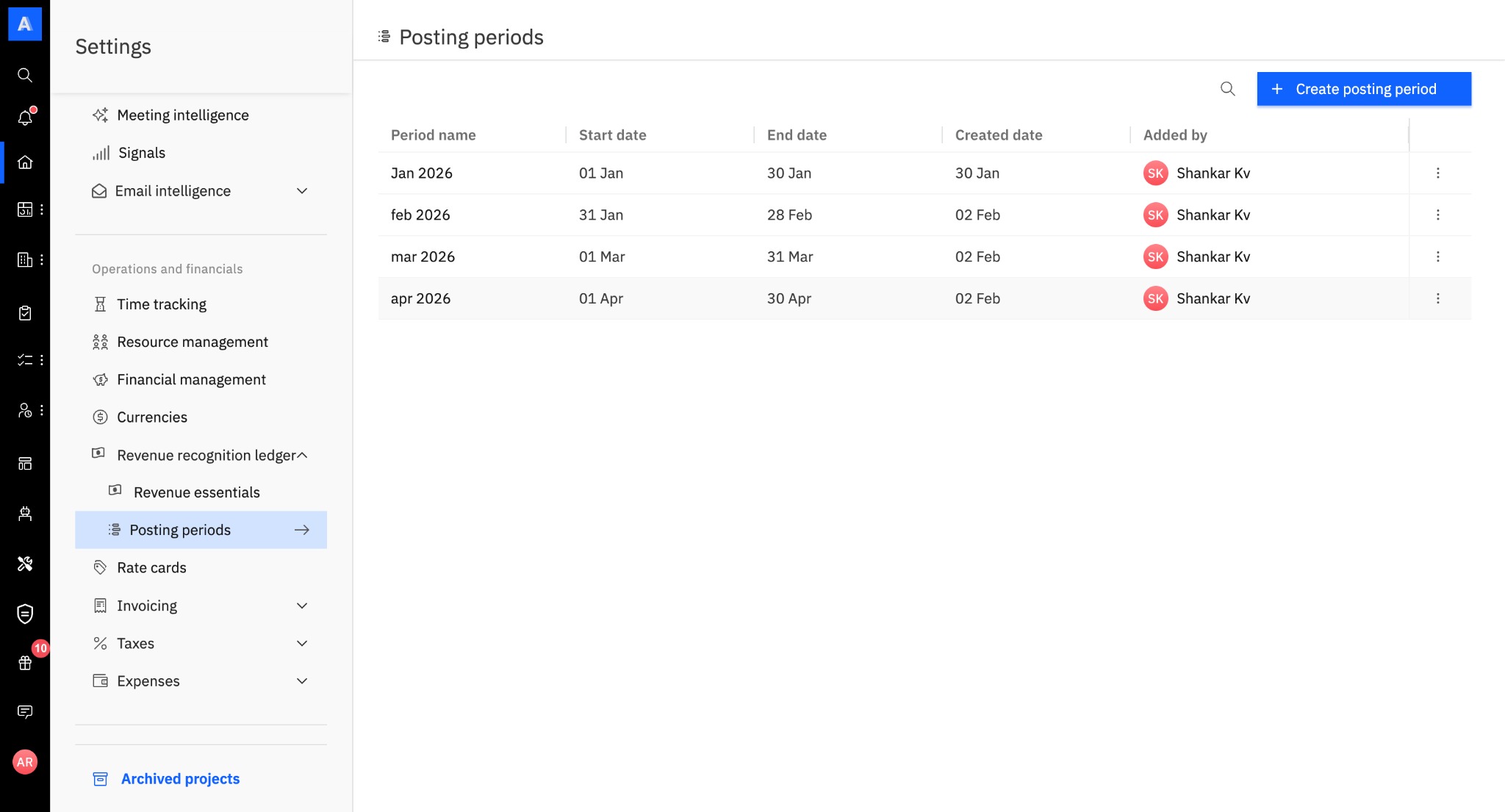
- Click Create posting period.
- Name the period and set a start and end date.
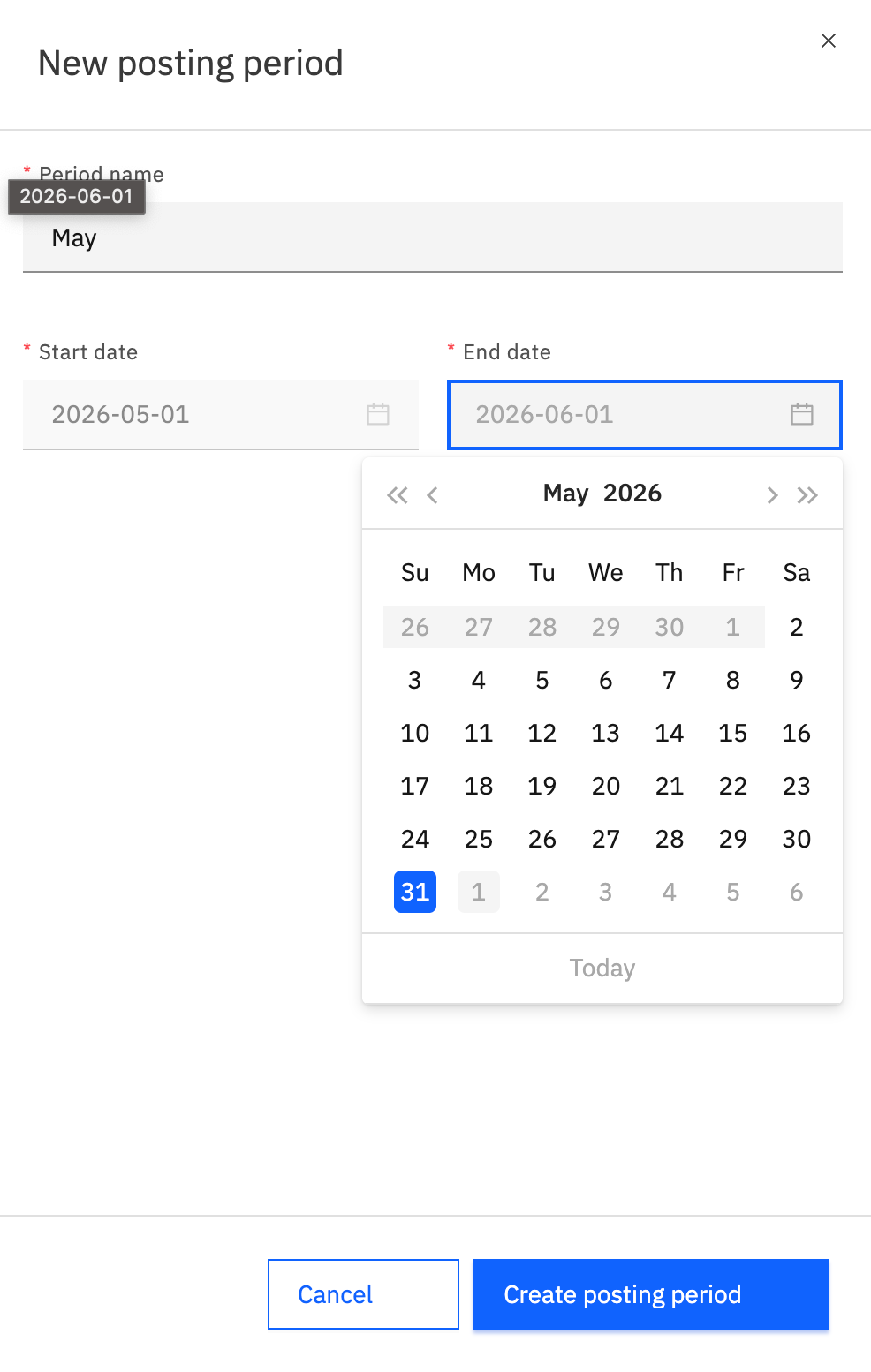
- Click Create period.
Locking and Unlocking Posting Periods
Once a month or quarter is closed, the finance team will usually want to prevent any further changes.
To lock a posting period
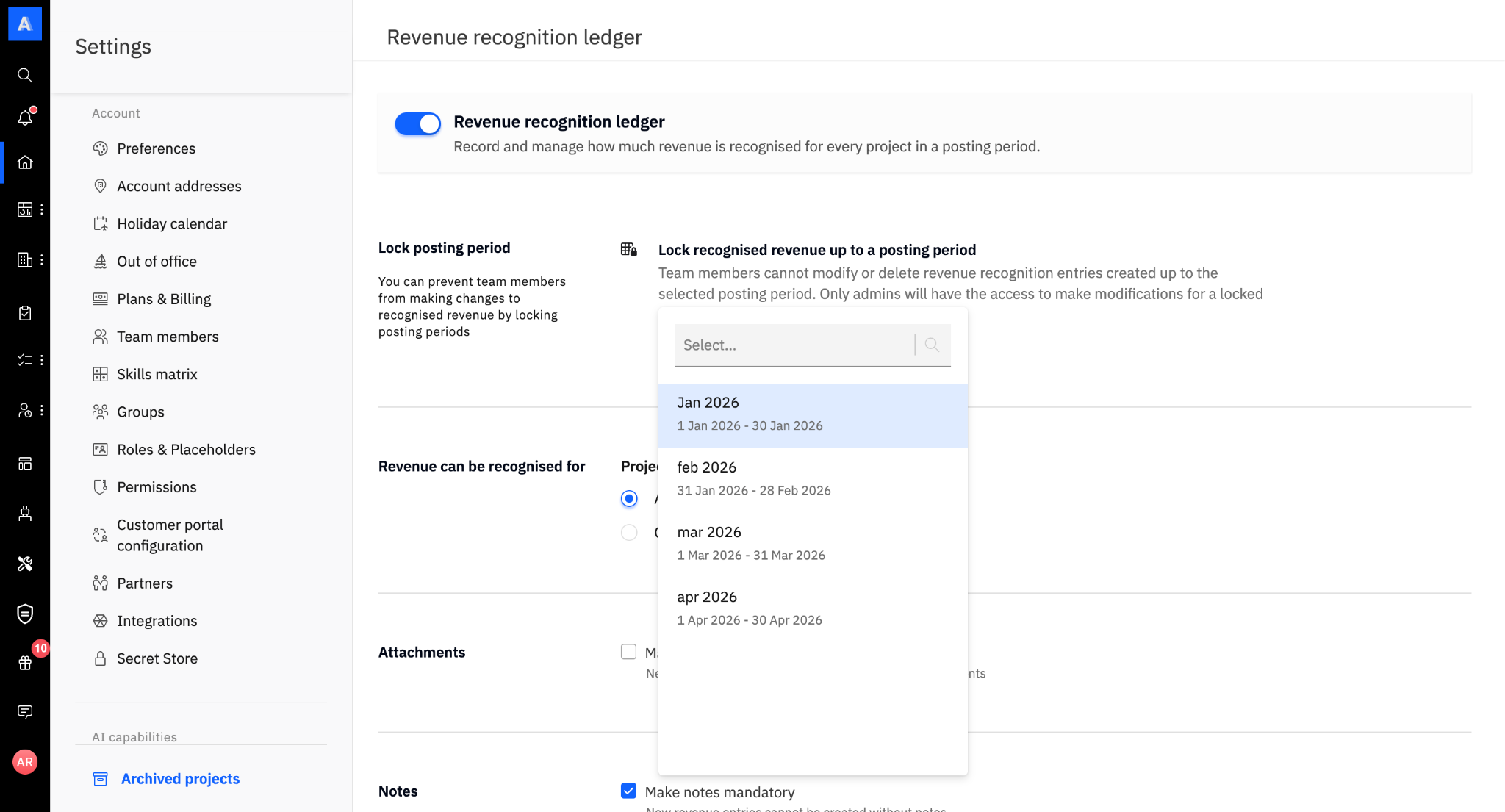
- Navigate to Revenue entries > Revenue Essentials in Settings, then go to Lock posting period.
- Select the posting period that is ready to be closed.
- Lock the posting period.
After a period is locked
- Revenue entries in that period cannot be created.
- Revenue entries in that period cannot be edited or deleted (recognized amounts are frozen).
- Notes and attachments can still be edited/added, even after lock.
- Recognized revenue for that period becomes final and stable.
If corrections are required, they are usually recorded in a future posting period rather than modifying past periods. This mirrors standard accounting practice for closing books.
Unlocking posting periods
- Posting periods can be unlocked by users who have the required permission configured in RBAC settings.
Auditability
- The audit log captures at least the date created and date modified for revenue entries.