This article explains how to automatically invite a customer champion after a project is created. The workflow uses a project field to capture the customer champion’s email address during project creation, then triggers an automation that calls a Rocketlane API to add that email as a customer member on the project.
In this article
When to use
Use this automation when:
- Every project needs a designated customer champion added as a project member.
- The champion’s email address is known at the time of project creation.
- Your team wants to avoid manually inviting the champion after each project is created.
Prerequisites
Before you begin, make sure you have:
- Permission to create project fields.
- Permission to create global automations.
- A Rocketlane API key from Settings > API.
Create a customer champion email field
Start by creating a project field to capture the customer champion’s email address.
- Navigate to Project Settings > Fields.
- Create a new Text field.
- Name the field
Customer Champion Email ID. - Ensure the field is marked Public.
- During project creation, enter the customer champion’s email address into Customer Champion Email ID.
This field is used as the source value for the automation.
Create a project-creation automation
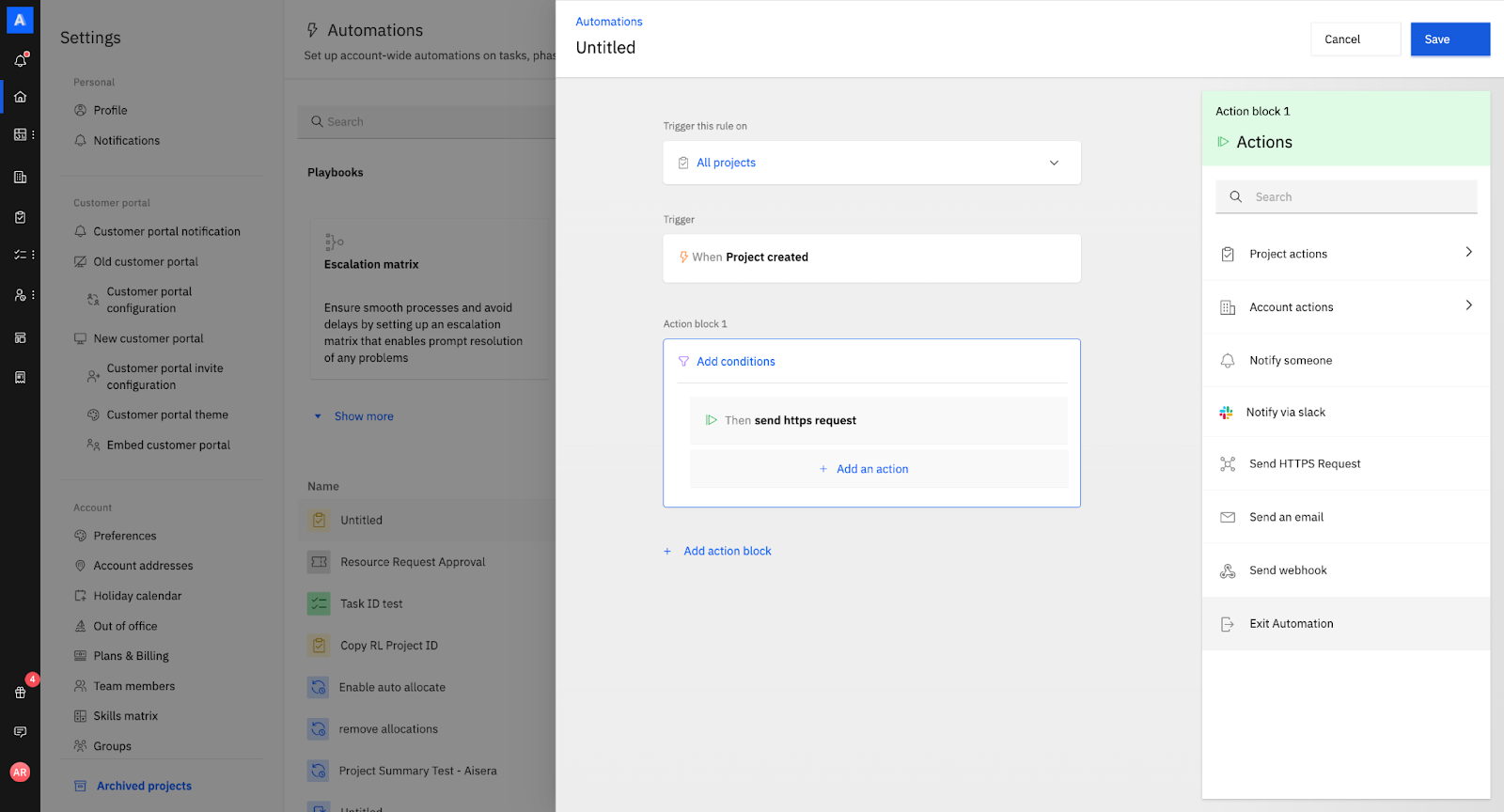
Next, create a global automation that runs when a project is created.
- Navigate to Settings > Automations.
- Click Create New Automation.
- Set the automation scope to All projects.
- Set the trigger to When project is created.
- Add the action Send HTTPS Request.
Configure the HTTPS request
Build tab
In the URL field, use the following endpoint:
https://api.rocketlane.com/api/1.0/projects/(Project->project_id)/add-membersReplace (Project->project_id) with a Project ID SmartFill so the API call targets the correct project.
- Type
{{{in the URL field to open SmartFill options. - Select Project > project_id.
Set the request method to POST.
This endpoint adds the provided customer email address as a customer member on the project.
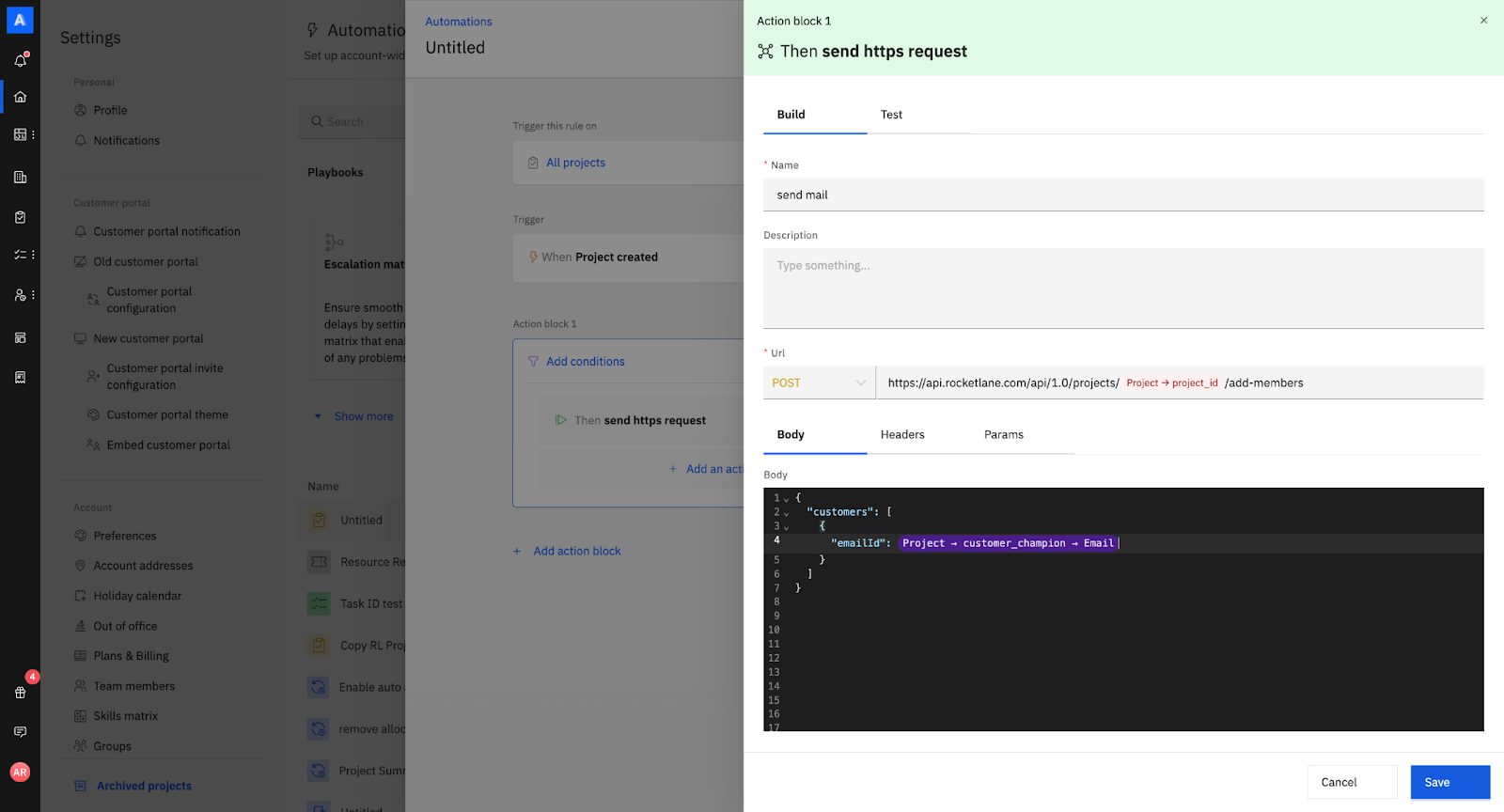
Add the request body
In the Body section, paste the following JSON:
{ "customers": [ { "emailId": "(Project->Customer Champion Email ID)" } ] }Replace (Project->Customer Champion Email ID) with the project field SmartFill.
- Type
{{{inside the JSON where theemailIdvalue is expected. - Select Project > Customer Champion Email ID.
This ensures the automation uses the email stored in the project field during project creation.
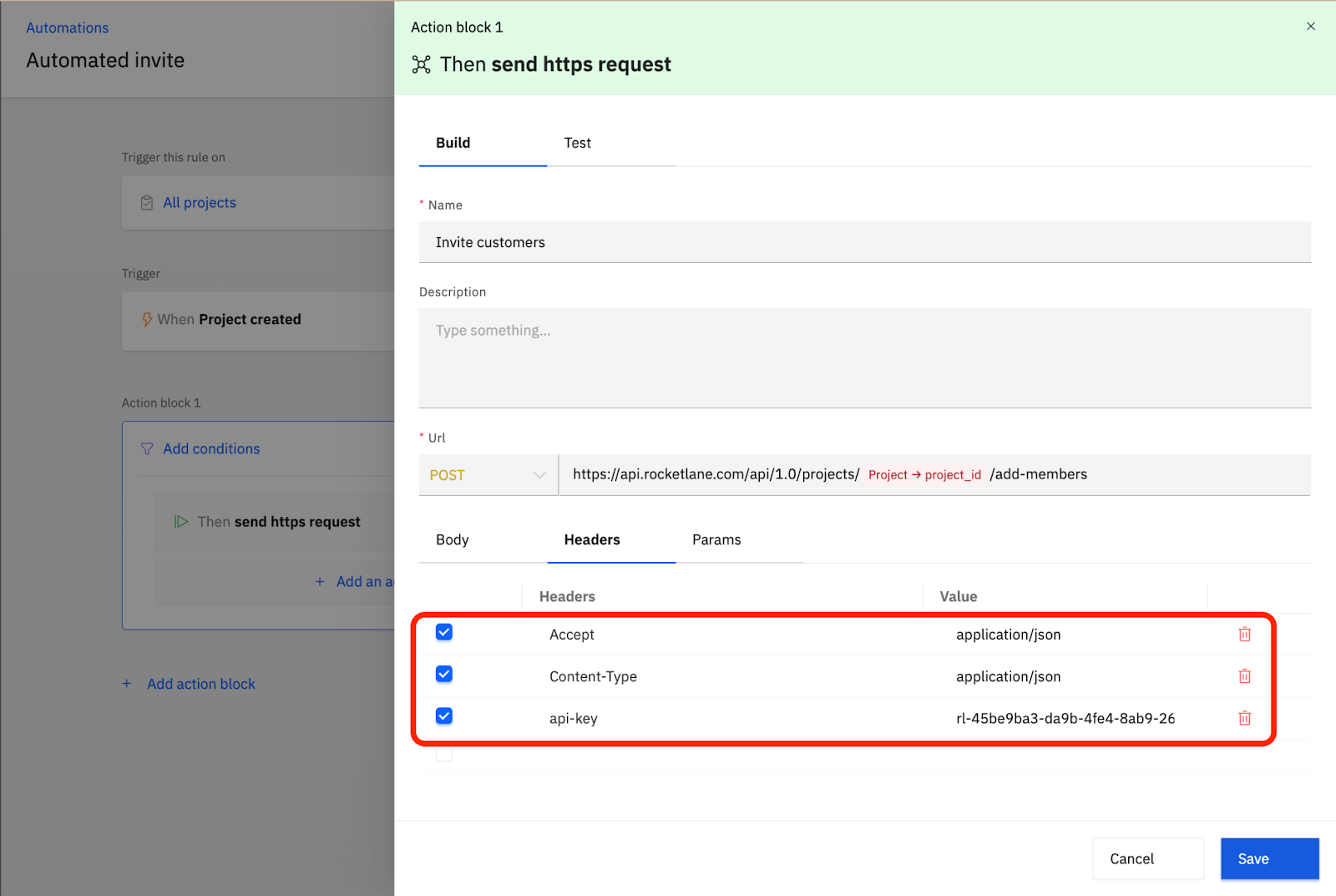
Add headers
In the Headers section, add the following:
Copy the API key from Settings > API and paste it as the value for Api-key.
Save the automation
Save the automation.
Once saved, every time a new project is created, Rocketlane will:
- Read the email address stored in
Customer Champion Email ID. - Call the
add-membersAPI for that project. - Automatically invite the customer champion to the project.