In this article
Users can perform bulk updates on projects, similar to the existing bulk actions for tasks. This allows updating both custom fields and supported native fields across multiple projects in a single action, making it significantly easier to manage large-scale changes efficiently.
NoteUsers can update up to 1,000 projects at a time.
Supported Native Fields for Bulk Update
Project Fields
Task Fields
How to Bulk Update Projects
- Navigate to the Projects list view.
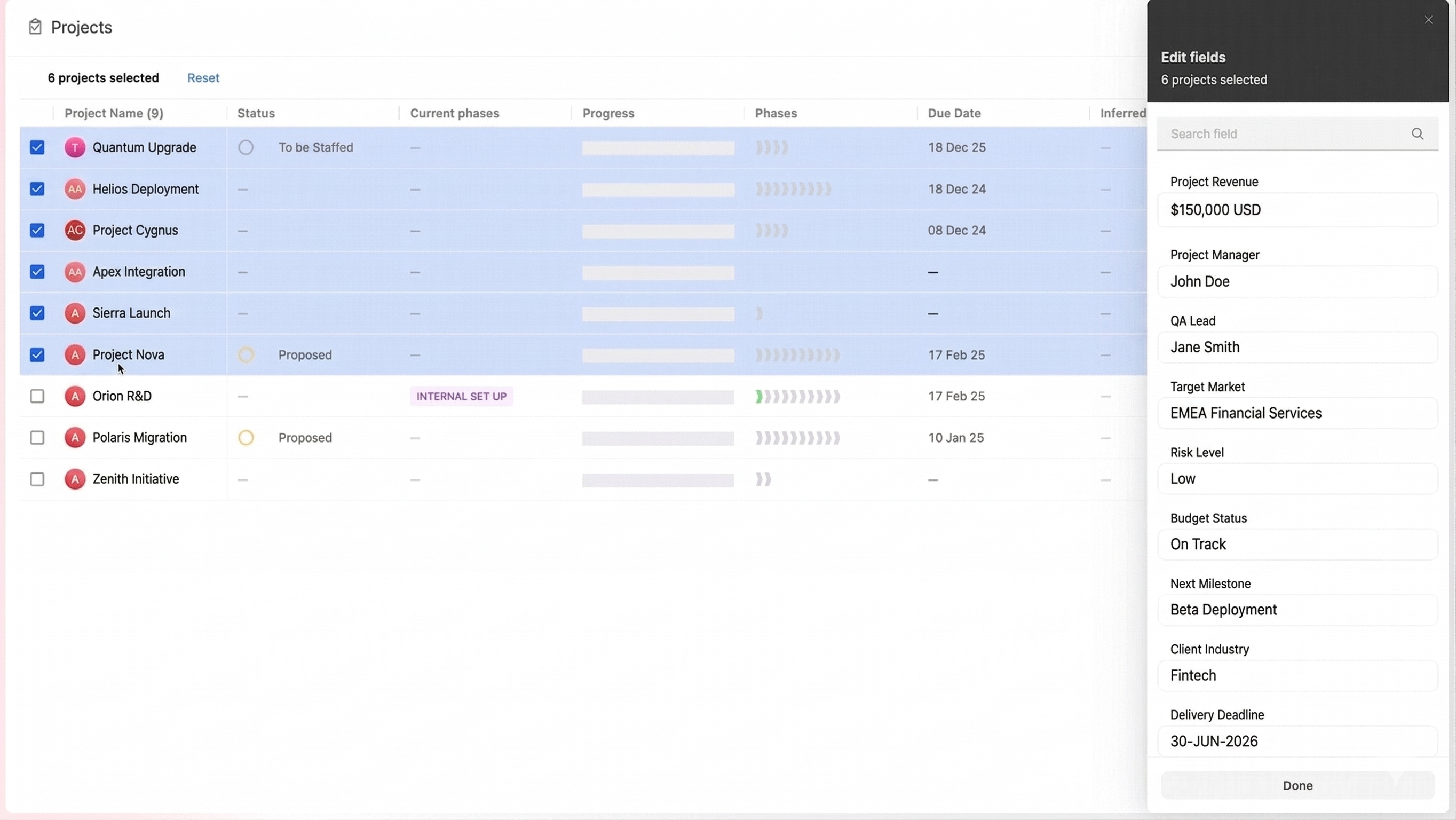
- Select the projects you want to update by checking the checkboxes on the left of each project row. You can select up to 1,000 projects at a time.
- A bulk action toolbar will appear at the bottom of the screen showing the number of projects selected.
- Click the Edit fields icon, or pencil icon, in the bulk action toolbar.
- An Edit fields panel will slide open on the right, listing all supported fields available for bulk update.
- Use the Search field bar at the top of the panel to quickly find a specific field.
- Click on the field you want to update and set the new value.
- Click Done to apply the changes across all selected projects.
Things to Keep in Mind
- Only the fields listed above as supported are available in the bulk edit panel. Fields that are calculated or not yet supported will not appear.
- When a field has different values across the selected projects, it will display Multiple Values to indicate the variation.
- Bulk updates apply to all selected projects simultaneously, so review your selection carefully before clicking Done.