Rocketlane’s Customer Portal can be embedded directly into your product so customers can view project progress, receive notifications, and collaborate without leaving your application.
If you host your Rocketlane solution on a private network or cloud environment, whitelist Rocketlane’s domains and IP addresses before embedding the portal.
This article explains how to embed the Customer Portal using an iframe and secure access using JWT-based authentication.
In this article
Step 1: Navigate to embed instructions
- Log in to your Rocketlane workspace.
- Go to Settings > Customer Portal > Embed Customer Portal.
- Follow the on-screen instructions to get started with embedding.
Step 2: Embed the portal in your product
To embed the Customer Portal in your UI, insert the following HTML snippet where you want the portal to appear:
<iframe src="https://xy.rocketlane.com/cp/embed?token=<jwt_token>"> <a href="https://xy.rocketlane.com/cp/embed?token=<jwt_token>">Go to Portal</a> </iframe>- The
iframeembeds the portal into your UI. - The
<a>link provides a fallback option so users can open the portal in a new tab if iframe rendering fails. - Replace
xywith your workspace subdomain and insert a valid JWT token for authentication.
Step 3: Secure the portal with JWT authentication
Rocketlane uses JWTs to authenticate users accessing the embedded portal. This gives customers a smooth login experience without requiring separate passwords.
Benefits of JWT-based login
- One-click login from within your product.
- No email invite or manual login required.
- Secure, time-limited access.
Authentication options
Rocketlane supports two methods for JWT authentication:
- Shared Secret Key: Rocketlane provides a shared secret. You use this key on your backend to sign tokens and authenticate users.
- Public/Private Key Pair: Generate a private/public key pair, add your public key to Rocketlane from Settings, and sign JWTs on your server using your private key.
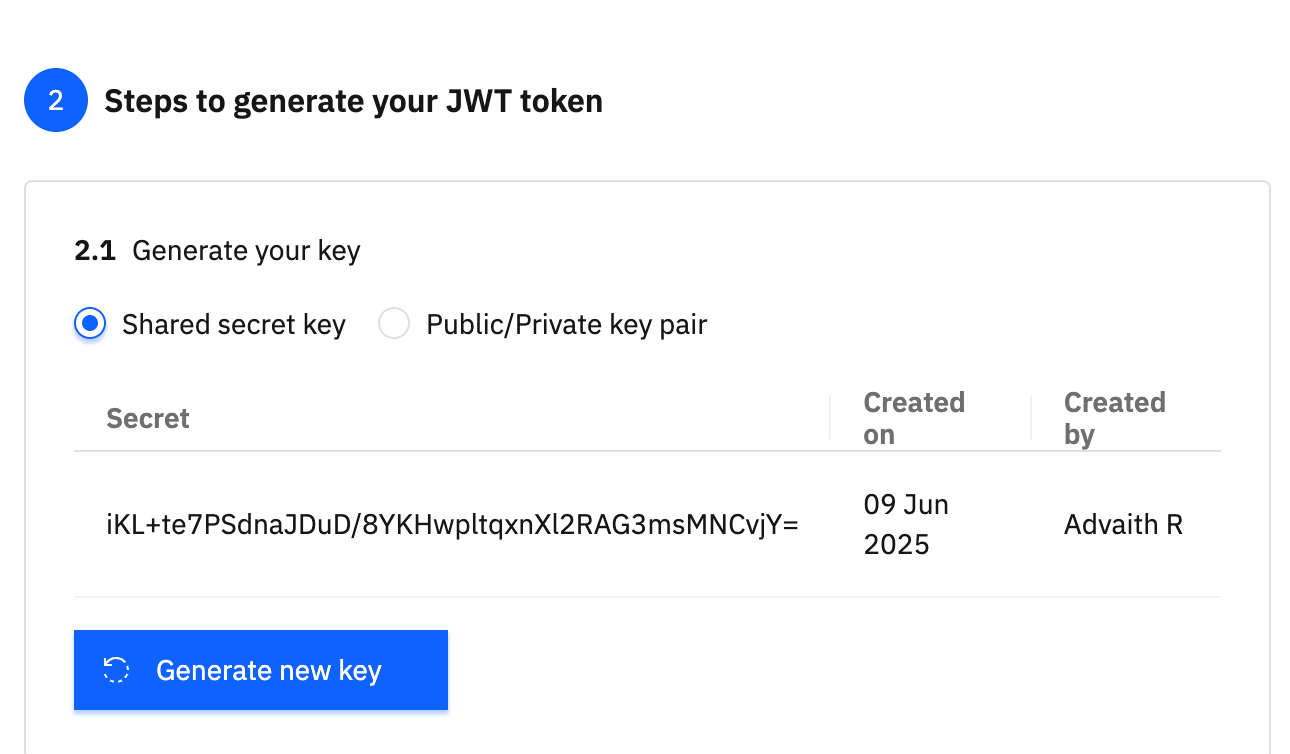
Step 4: Generate a JWT token
Here is a sample Python function to generate a JWT token using your private key:
import jwt def generate_jwt_token(your_private_key, email_id, project_id, hash_param, expires_at): payload = { "user": { "emailId": email_id, "emailLanguagePreference": "EN" }, "config": { "projectId": project_id, "inviteIfAbsent": True, "hashParam": hash_param }, "exp": expires_at } jwt_token = jwt.encode(payload, your_private_key, algorithm="HS256") return jwt_tokenKey payload fields
emailId: The customer’s email ID.emailLanguagePreference: Sets the language used in system-generated emails. Supported values areEN,DE,FR,IT,ES, andNL.projectId: Optional ID of the project the customer is accessing.inviteIfAbsent: Automatically invites the customer if they are not already part of the project.hashParam: Hash used to validate redirection, fetched from the email invite URL.
Step 5: Fetch project ID, if needed
If you need to dynamically fetch the projectId, use the Rocketlane API:
GET https://api.rocketlane.com/api/1.0/projects?externalRefKey=<external_reference_key> Headers: Accept: application/json api-key: <your_api_key>Replace <external_reference_key> with your external reference key and <your_api_key> with your Rocketlane API key.
To learn more, read the Rocketlane Projects API documentation.
Step 6: Set the Email Redirection URL
To ensure email links take customers to your embedded portal, configure the Email Redirection URL.
- Go to Settings > Customer Portal > Customer Portal Invite Configuration.
- Scroll down to Email Redirection URL.
- Enter the URL where your Customer Portal iframe is embedded, such as
https://yourapp.com/projects/portal.
This ensures that when customers open invite links from emails, they are redirected to your product instead of Rocketlane’s default portal page.