Rocketlane's Resource AI helps you assemble the perfect project team by balancing workloads, maximizing profit margins, or allowing manual selection. By automating resource planning, you can help distribute work equitably and optimize project financials.
TABLE OF CONTENTS
Accessing Resource AI
To begin using the automated resource planning tool, navigate to the Resource Management module from your sidebar.
- Login as an admin and navigate to Resource management
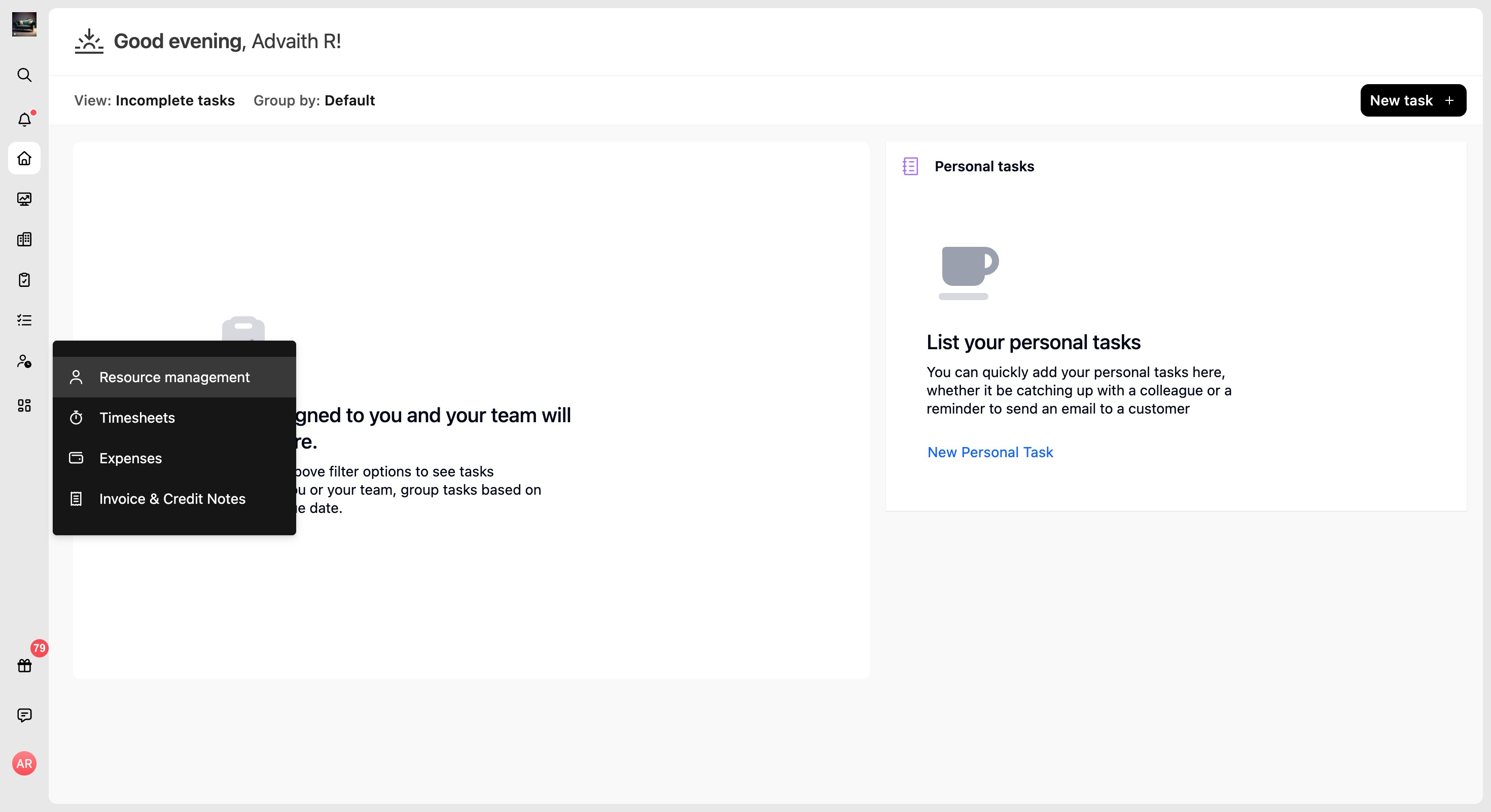
Go to the Apps tab
Select the Resource AI app
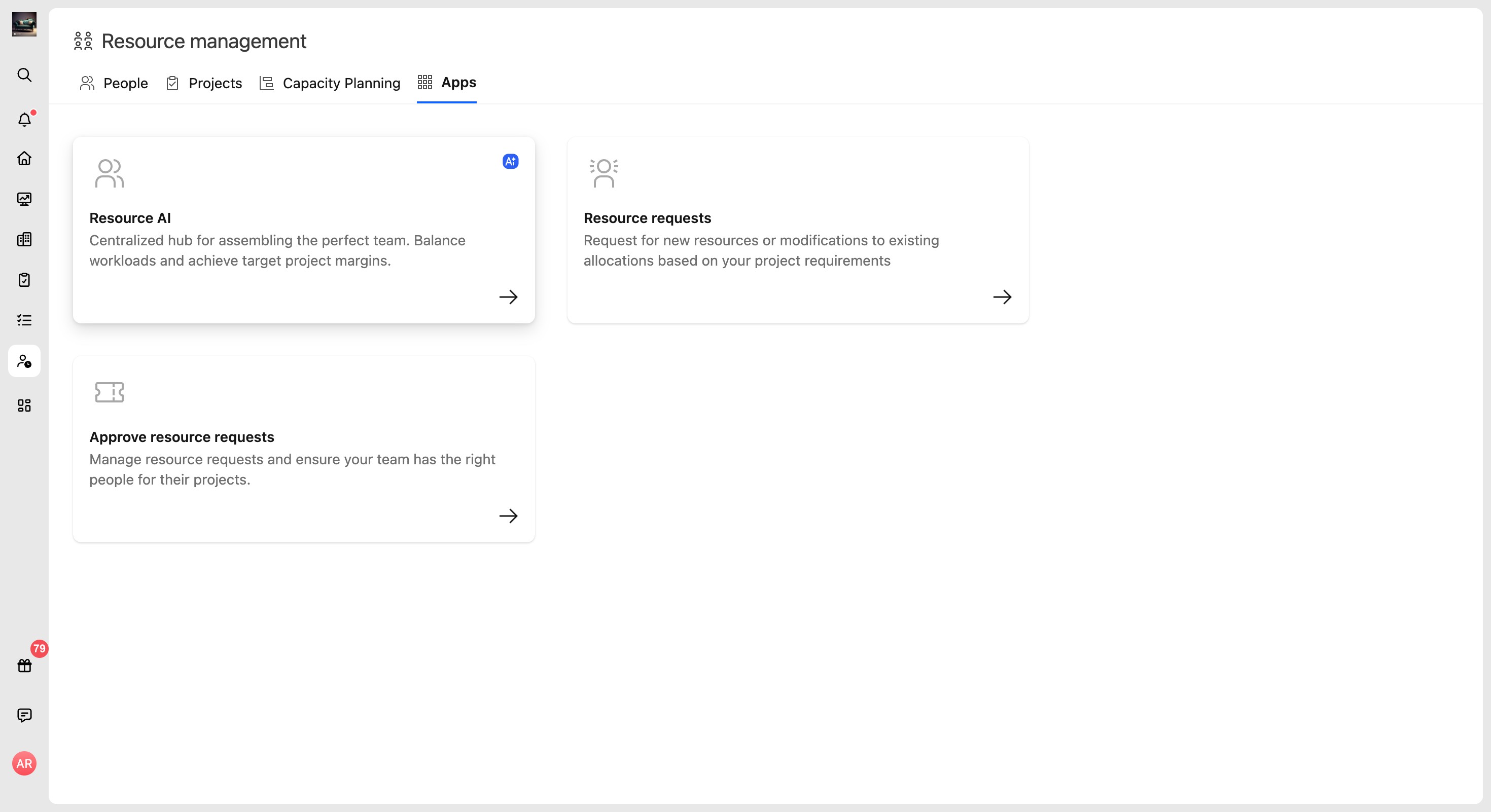
Resource AI guides you through selecting a project, choosing a planning goal, planning the team, reviewing financials, and allocating resources.
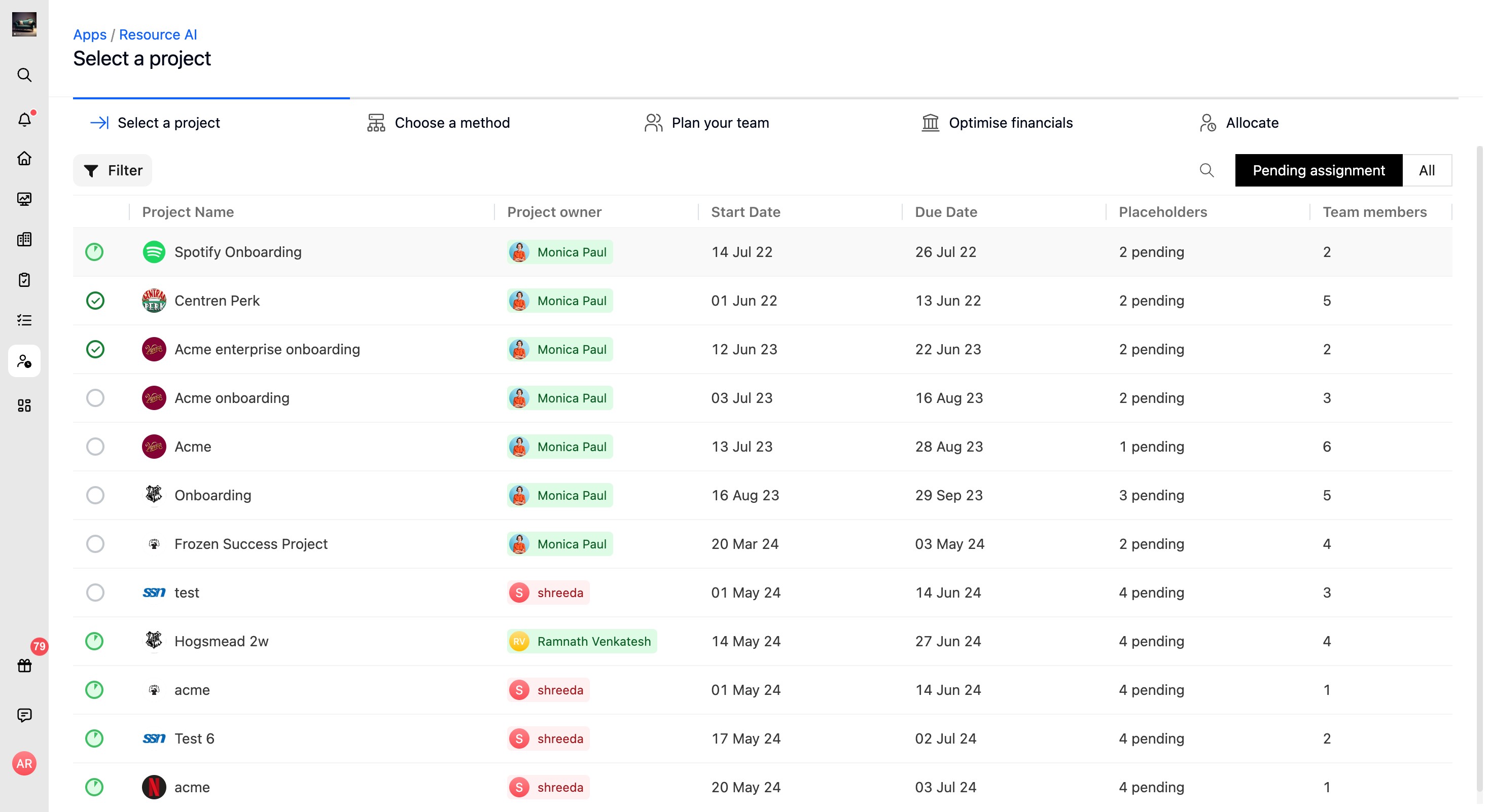
Select a project
In this step, select a project from the Resource AI project list. Use the filter, search, or Pending assignment and All toggles to find the project you want to staff, then continue to the method selection step.
Select a project from the list
Use filter to get to the project you wish to plan
Click next
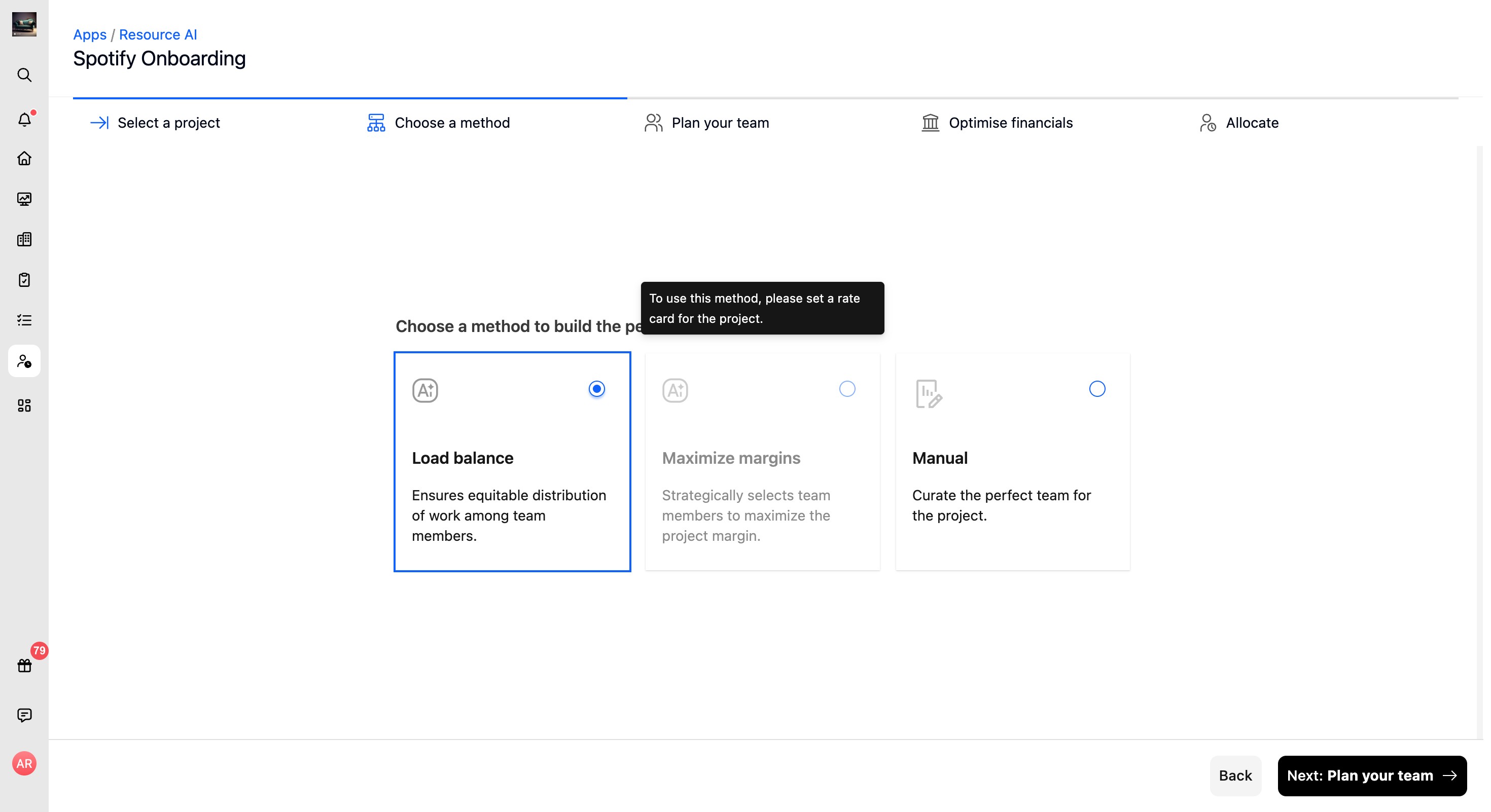
Choose a method
Choose the planning goal Resource AI should use to build the project team. The available methods are Load balance, which ensures equitable distribution of work among team members; Maximize margins, which strategically selects team members to maximize project margin; and Manual, which lets you curate the team yourself.
Note: Maximize margins requires the project to have a configured rate card.
Method 1: Load Balance
This method ensures equitable distribution of work among team members.
Logic behind Load Balance Method
For all projects: Team planning is balanced by allocating team members with the least forecasted utilization rates for the allocated dates.
Utilization is a metric that indicates, for a given date range, the expected level of work commitment for a team member in relation to their total available work capacity. Forecasted utilization is calculated as a percentage by taking the total time already allocated for projects and the additional time that is being allocated
For instance, if someone’s work capacity is 40 hours/week and they have 20 hours of work already allocated, plus 12 hours about to be added:
Their forecasted utilization rate would be a percentage of (20+12)/40) = 80%.
Method 2: Maximize margins
This method strategically selects team members to maximize the project margin based on the project requirements.
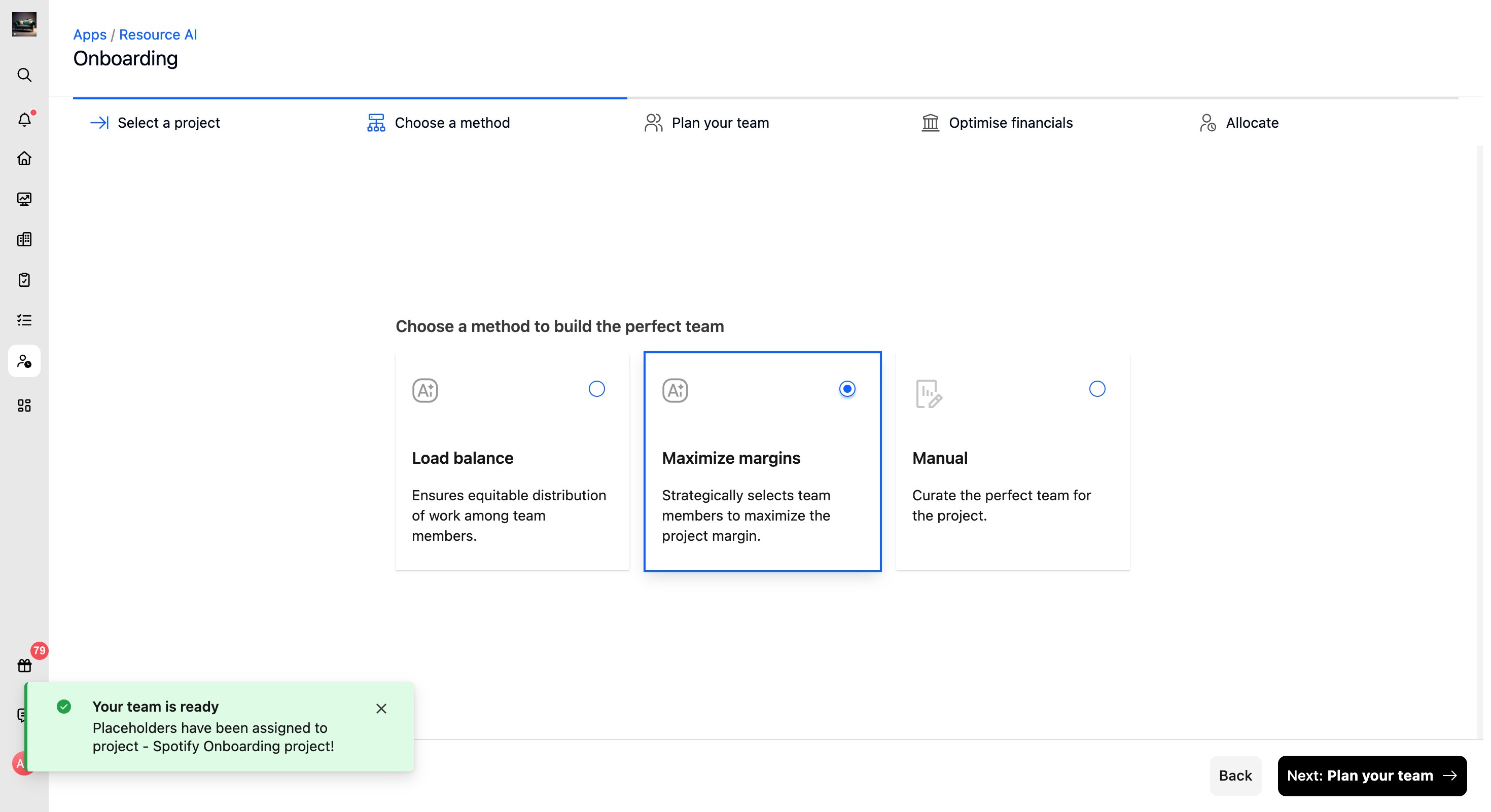
Logic behind Maximize margins
For fixed fee projects: Maximize margins picks team members with a lower cost rate.
For Time and Material projects: The system will pick the team member with the most profit margins. Profit margin for team members is calculated based on their bill rates (taken from the rate card) and cost rates
For instance, if someone’s bill rate is 100$ and cost rate is 70$:
Margin would be percentage of (100 - 70)/100 = 30%
Note 1: For T&M projects, the project should have a rate card to calculate margins.
Note 2: The algorithm will skip the team member with the least cost rate or the maximum margin, if their forecasted utilization is greater than 100%
Method 3: Manual
This method lets you hand-pick team members for specific roles while reviewing utilization rates, costs, and margins.
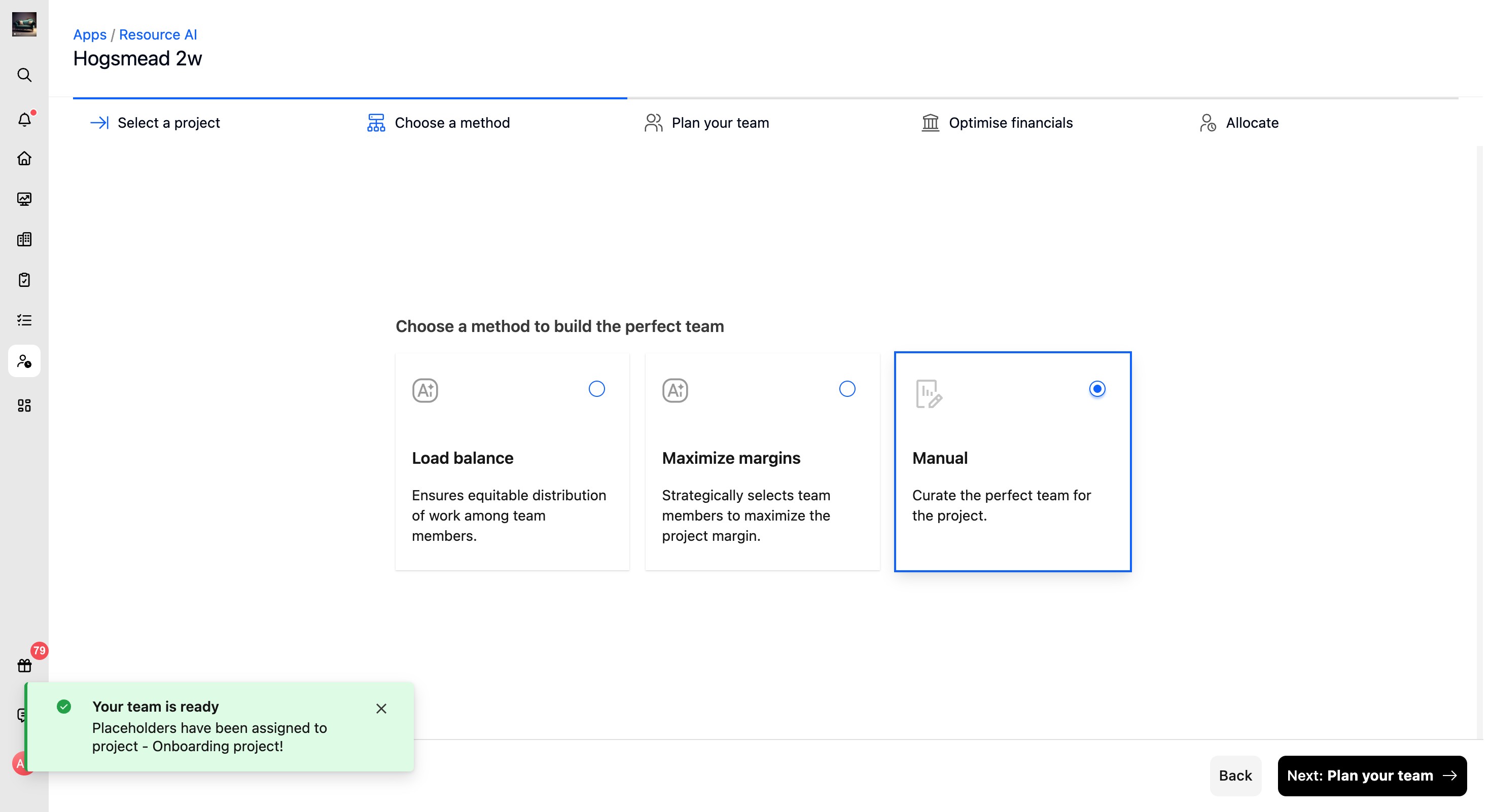
Plan your team
In this step, review and complete the team plan for the selected project. Placeholder rows show the allocated dates, allocation basis, allocated hours, and suggested or selected team members with forecasted utilization.
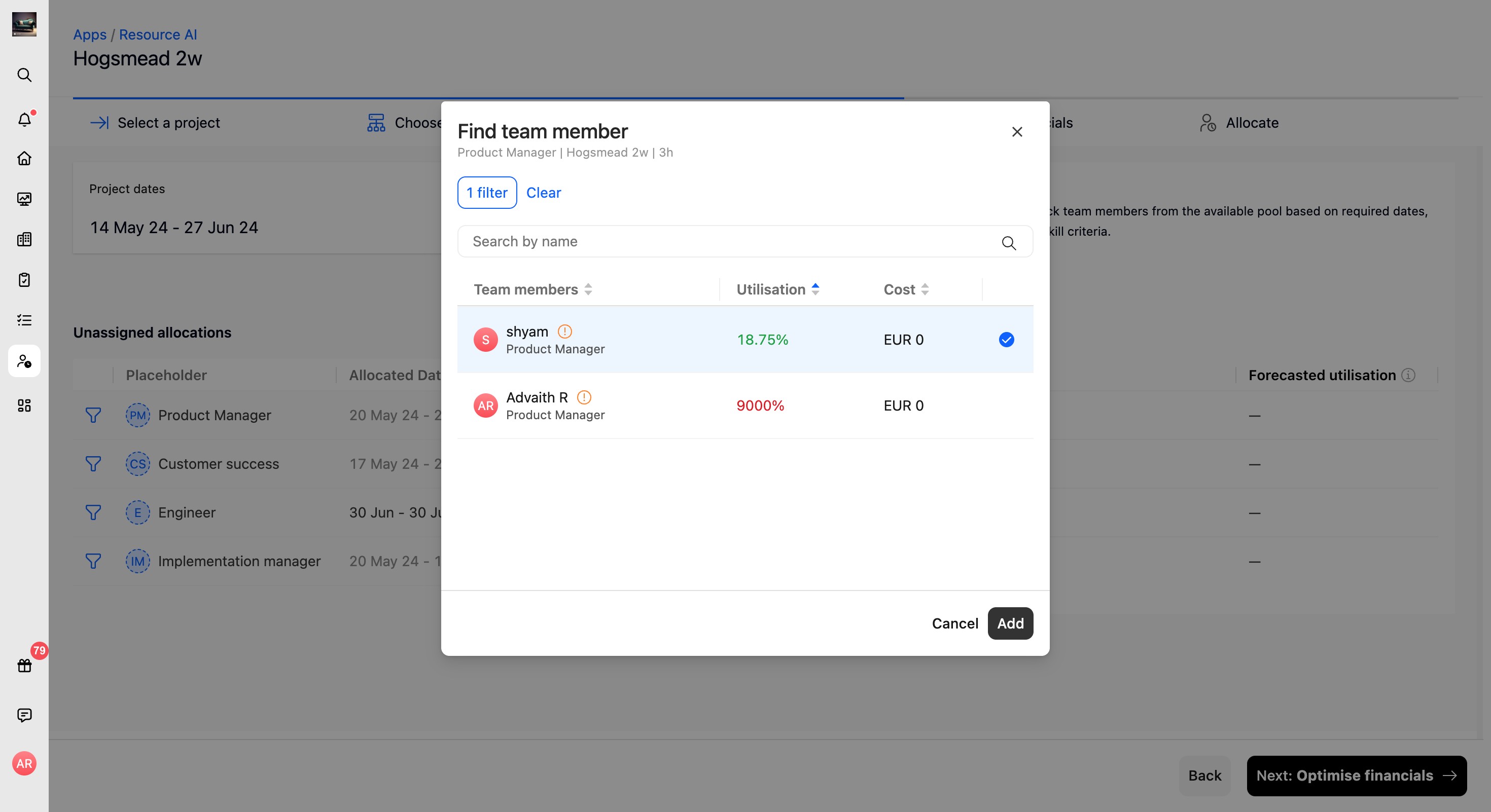
To assign or change a team member, click the placeholder row or the assignment icon. The Find team member modal shows available team members with their utilization and cost. Select a team member and click Add.
Method behavior: Load balance plans allocations to distribute workload equitably. Maximize margins can automatically select team members optimized for margin and then show financial metrics. Manual starts with unassigned placeholders that you fill by selecting team members.
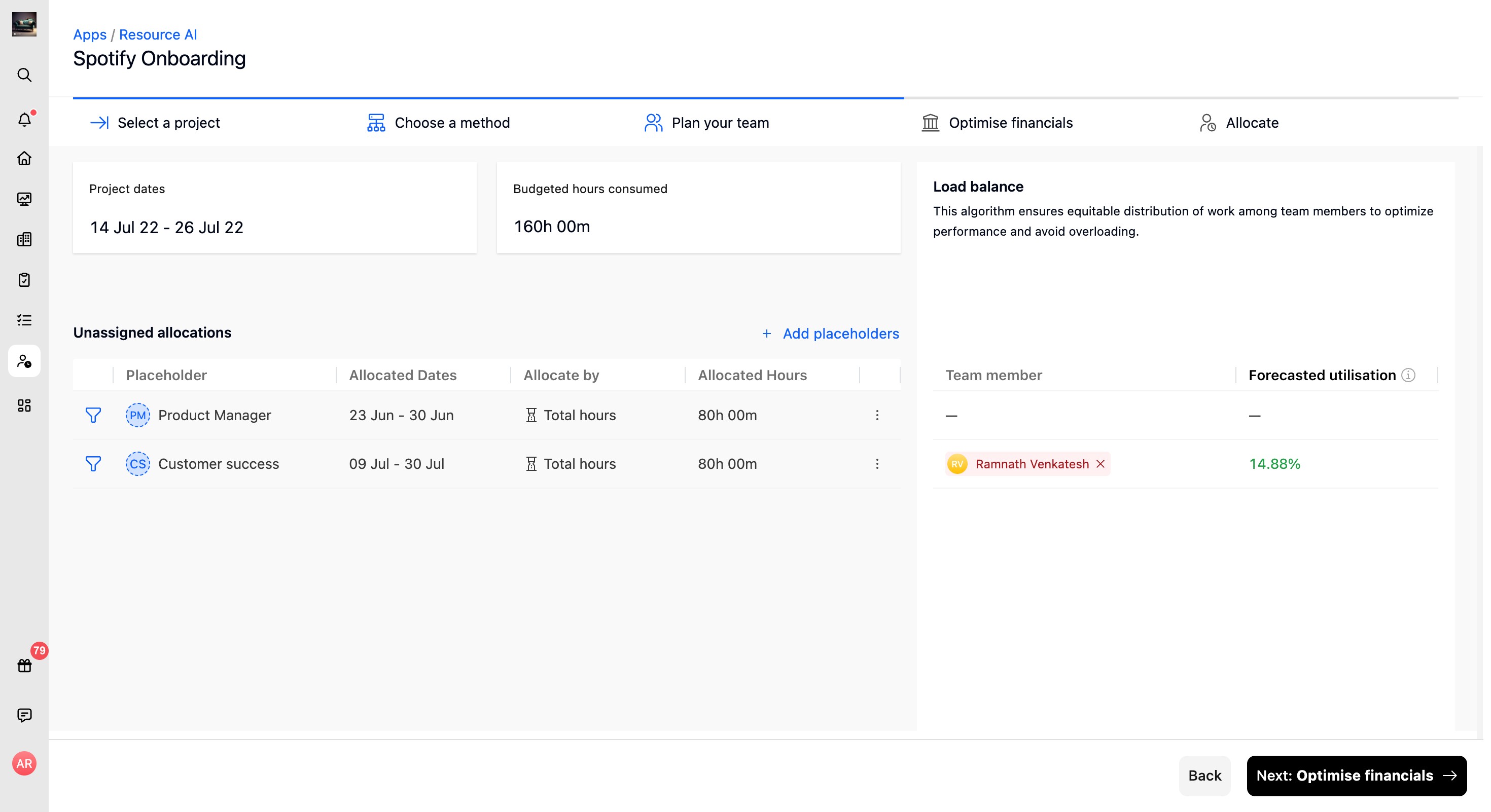
If placeholders are not allocated
Click the “add placeholder” button and select a placeholder
Select the date range under allocated dates
Add the allocated hours for the placeholders
Resource AI will automatically find you the right resource to replace the role based placeholder. For example, if you chose “consultant” as the placeholder, it can be replaced by “Rachel” who is the consultant available for the selected time period.
If placeholders are allocated
If you have allocated placeholders, date and hours in your resource management settings, it gets carried over to Resource AI and the system finds you the best resources who can replace the placeholders for the allocated time period.
Here is where you can decide to stick with the suggested team or make adjustments as needed to create your perfect team!
Find the perfect match
Use the Find team member modal to review available resources and choose the best match for a placeholder.
- Use filters or search to narrow the team member list.
- Review each team member's utilization and cost.
- Select the team member row.
- Click Add to add or replace the team member.

Note: Use the three-dot More actions menu next to an allocation to remove a team member when needed.
Optimise financials
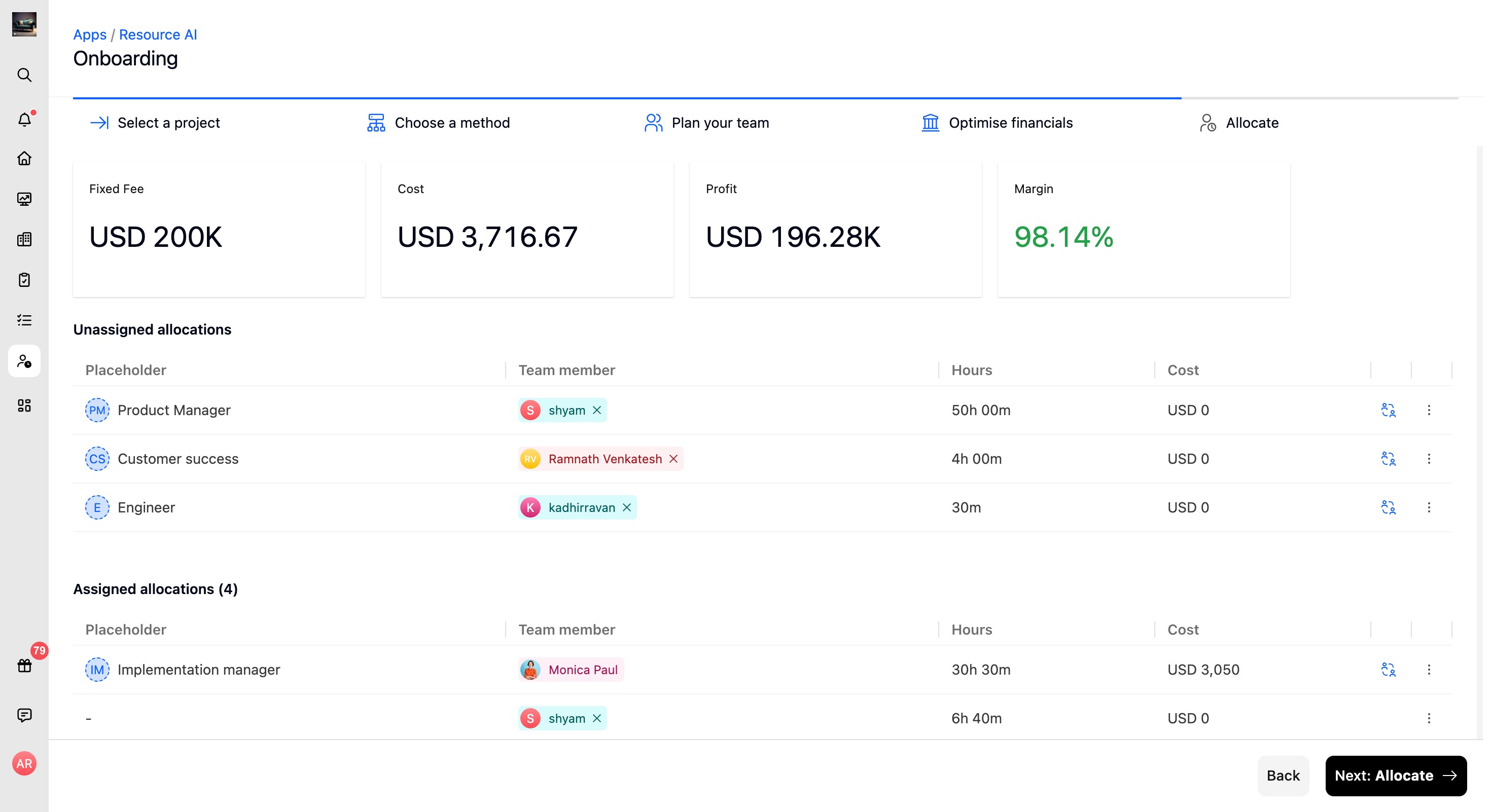
Review the financial impact of the resource plan. Depending on the project setup, this screen shows metrics such as Fixed Fee, Cost, Profit, and Margin, or the total estimated cost for the allocation.
For T&M and fixed-fee projects, review the revenue, profit, cost, and margins for the resource plan. For non-billable projects, review the cost utilized for the plan.
To adjust the team, hover over a team member to reveal Replace team member, or use the three-dot More actions menu on an allocation to remove a team member before continuing to Allocate.
- Review the financial metrics for the planned team.
- Use Replace team member or More actions if adjustments are needed.
- Click Next: Allocate to continue.
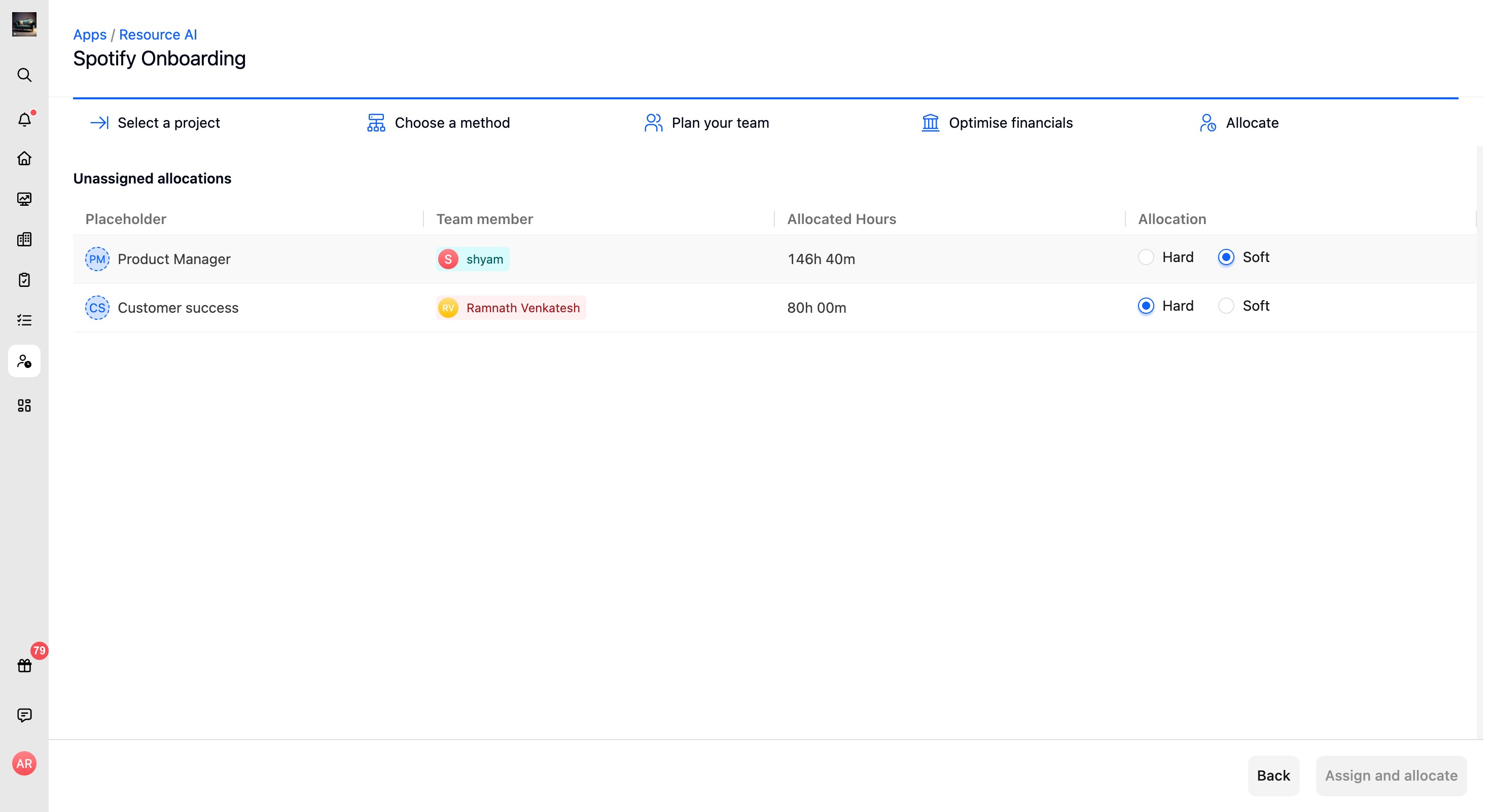
Assign and allocate
- Choose whether each team member's allocation is a Hard or Soft booking.
Click Assign and allocate to finalize the resource plan.
Understanding these Resource AI planning goals and reviewing utilization, cost, and margin details helps you streamline resource planning, make informed staffing decisions, and finalize allocations with confidence.