Revenue recognition, a core accounting principle, guides how companies record their earnings over a particular period, regardless of when they receive payment. This is part of the accrual accounting method, which prioritizes recording revenue when it’s earned.
Take a course on Financial Management here.
To properly apply this principle, careful project planning and budgeting are essential. By monitoring the time spent on a project, a company can gradually record revenue in line with project advancement. This method ensures that recorded revenue corresponds accurately with the services delivered, providing a true representation of the company’s performance.
Rocketlane offers multiple methods for recognising revenue, making it easy to keep track of finances. You have the flexibility to set up revenue recognition for all projects or allow project owners to choose a specific revenue recognition method when creating a project.

In this article
- Definitions used in revenue recognition calculations
- Recognise revenue based on hours tracked as percentage of budgeted hours
- Recognise revenue based on hours tracked as percentage of total allocated hours
- Recognise revenue based on hours tracked as percentage of Estimate at completion (EAC) hours
- Milestone based
- Manual
- Recognize revenue based on tracked cost as a percentage of total planned cost
- Recognize revenue based on tracked cost as a percentage of Estimate at completion (EAC) cost
Let's break down the definitions used in the revenue recognition calculations
Fixed fee: This is the predetermined fee that you have agreed upon with the customer for the entire project. It is the amount that the customer will pay you for the completion of the project.
Tracked hours: This refers to the total number of hours that your team has logged for the project. It represents the actual time spent working on the project and is reported by your team via timesheets.
Budgeted hours: When you create a project, you typically estimate or set the total number of hours you expect to take to complete the project. This estimation is the budgeted hours, representing the planned time for the project.
Allocated hours: The sum allocated for individual resources assigned to the project.
Tracked cost: The cost of the work delivered so far. It is calculated from tracked hours multiplied by each team member's cost rate, plus the cost of approved expenses on the project.
Planned cost: The cost of the work planned for the project. It is calculated from allocated hours multiplied by each team member's cost rate, plus the project's expense budgets. Total planned cost is the planned cost for the whole project.
Estimate at completion (EAC) cost: The total cost the project is expected to reach by completion. EAC cost = Tracked cost + Estimate to complete (ETC) cost.
Let's understand revenue recognition using an example:

Method 1:
Recognise revenue based on hours tracked as percentage of budgeted hours
Recognised revenue for a period = (Tracked hours for that period / Budgeted hours) * Fixed Fee

Forecasted recognised revenue for a period = (Allocated hours for that period / Budgeted hours) * Fixed Fee
Method 2:
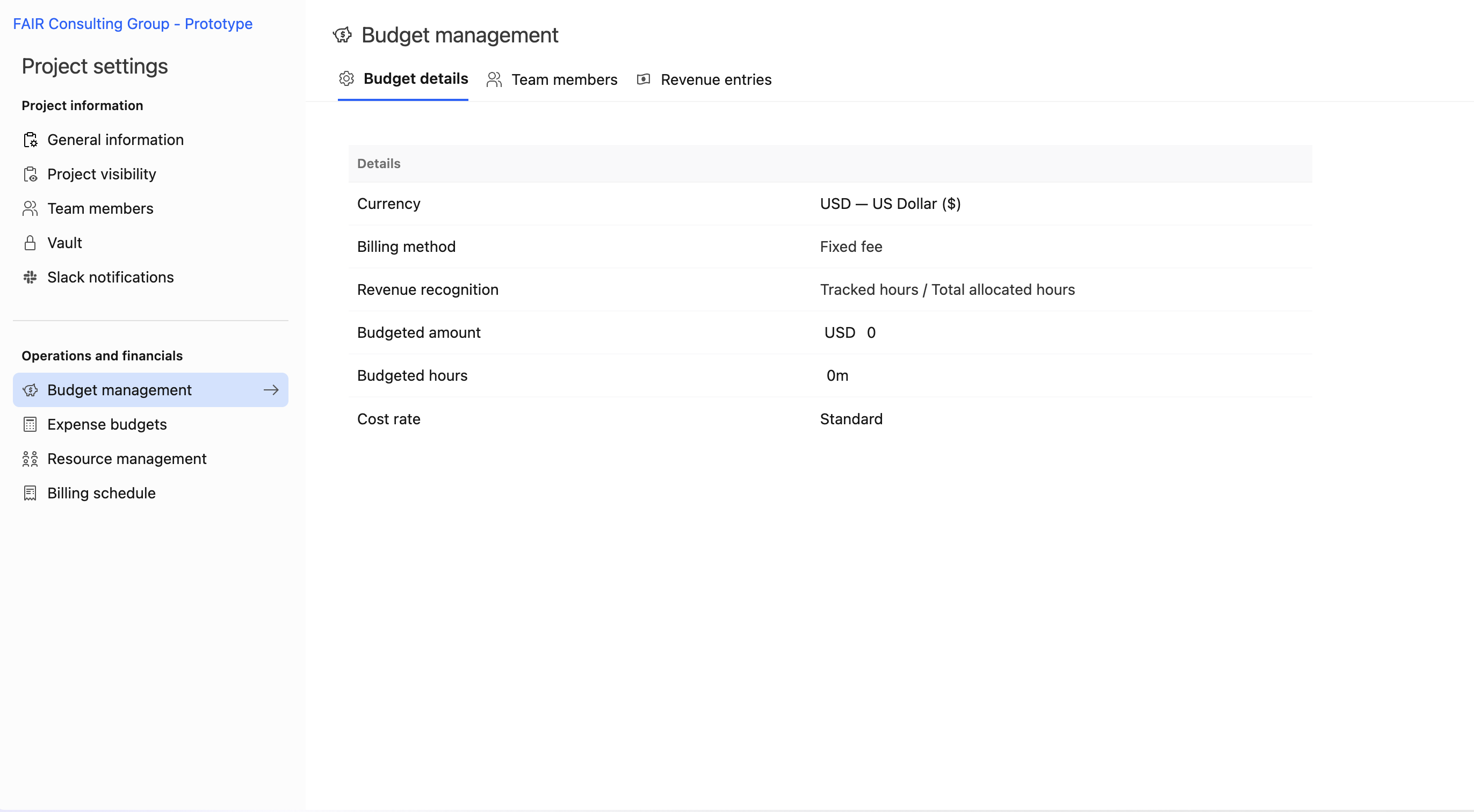
Recognise revenue based on hours tracked as percentage of total allocated hours
Recognised revenue for a period = (Tracked hours for that period / Total allocated hours) * Fixed Fee

Forecasted recognised revenue for a period = (Allocated hours for that period / Total allocated hours) * Fixed Fee
Method 3:
Recognise revenue based on hours tracked as percentage of Estimate at completion (EAC) hours
Read more about EAC here.
Recognised revenue for a period = (Tracked hours for that period / EAC) * Fixed Fee
Forecasted recognised revenue for a period = (Allocated hours for that period / EAC) * Fixed Fee
Method 4:
Milestone based
Milestone-based revenue recognition is a process where revenue is recognized only when certain predetermined milestones/tasks are reached. The completion of each task is associated with a portion of the total fixed fee, which is recognized as revenue. In order for revenue to be recognized at any task, that task task must be explicitly marked as completed.
You can use the Revenue Recognition Plan to set the amount of revenue that will be recognized at each task/milestone. This plan allows you to define the percentage of the fixed fee amount to be recognized upon completion of each milestone task.
Actual revenue is recognized only when these tasks, as specified in the revenue recognition plan, are marked as completed.
To set up milestone-based revenue recognition, follow these steps:
- Navigate to the project for which you want to set up revenue recognition.
- Go to settings and select budgets and rates.
- Scroll down to revenue recognition and click edit plan.
- Begin adding tasks and specify the amount of fixed fee to be recognized as revenue upon completion.
- The system automatically calculates the percentage of revenue recognized when the specified task is completed.
- Plan revenue recognition for project tasks so that the total recognized revenue equals the fixed fee budget.
- As tasks in the project are marked as completed, actual revenue will be recognized accordingly.

Method 5:
Manual
You can manually add the revenue to be recognised on a certain date for the project.
To manually recognize revenue:
- Navigate to the project for which you want to set up revenue recognition.
- Go to settings and select budgets and rates.
- Scroll down to revenue recognition and click on "Recognize More."
- Choose the date and the fixed fee amount to be recognized. The system automatically calculates the percentage of revenue recognized.
- You can also view the remaining fixed fee amount to be recognized here.


Method 6: Recognize revenue based on tracked cost as a percentage of total planned cost
Hours alone can misstate progress when team members have different cost rates. An hour from a senior architect uses more of the budget than an hour from a junior consultant. Use this method when revenue should follow how much of the planned cost has been spent, not how many hours have been logged.
In Settings, this method appears as Tracked cost / Total planned cost.
| Value | Formula |
|---|---|
| Recognized revenue for a period | (Tracked cost for that period / Total planned cost) * Fixed Fee |
| Forecasted recognized revenue for a period | (Planned cost for that period / Total planned cost) * Fixed Fee |
Example: The project "Modert" has a fixed fee of 20,000 USD. The resources allocated across the project have a total planned cost of 10,000 USD, and the cost of the time tracked so far is 1,000 USD.
Recognized revenue = (1,000 / 10,000) * 20,000 = 2,000 USD
Method 7: Recognize revenue based on tracked cost as a percentage of Estimate at completion (EAC) cost
Plans change as projects progress, so the original planned cost may no longer reflect what the project will cost. Use this method when revenue should follow the latest forecast of total cost. EAC cost is the tracked cost so far plus the cost Rocketlane forecasts is still needed to complete the project (ETC cost). For how EAC is calculated, see Calculating EAC (Estimate at completion) for revenue recognition.
In Settings, this method appears as Tracked cost / Estimate at completion (EAC) cost.
| Value | Formula |
|---|---|
| Recognized revenue for a period | (Tracked cost for that period / EAC cost) * Fixed Fee |
| Forecasted recognized revenue for a period | (Planned cost for that period / EAC cost) * Fixed Fee |
Example: The project "Modert" has a fixed fee of 20,000 USD. The cost of the time tracked so far is 1,000 USD, and the forecasted cost of the remaining allocations (ETC cost) is 9,500 USD, so EAC cost = 1,000 + 9,500 = 10,500 USD.
Recognized revenue = (1,000 / 10,500) * 20,000 = 1,904.76 USD
- As the team keeps logging more hours and makes progress on the project, the revenue gets recognized for those hours.
- However, the revenue that can be recognized is limited to the fixed fee, with a maximum cap of 100%.
- Once a project is marked as completed, if the recognized revenue is below 100%, the system will recognize the remaining portion of the fixed fee on the project completion date.
You can choose the appropriate revenue recognition method for fixed fee projects in Rocketlane,
- Navigate to your avatar, and select settings
- Scroll down to the Operations and Financials section
- Select Financial Management
- On the Financials page, you can select the preferred Revenue recognition for fixed fee projects
To get an overview of the Financials Dashboard, click here.